Still Manually Running SQL Scripts? Flyway Automates Microservice Database Migration with 10x Efficiency Boost
3/4/2026
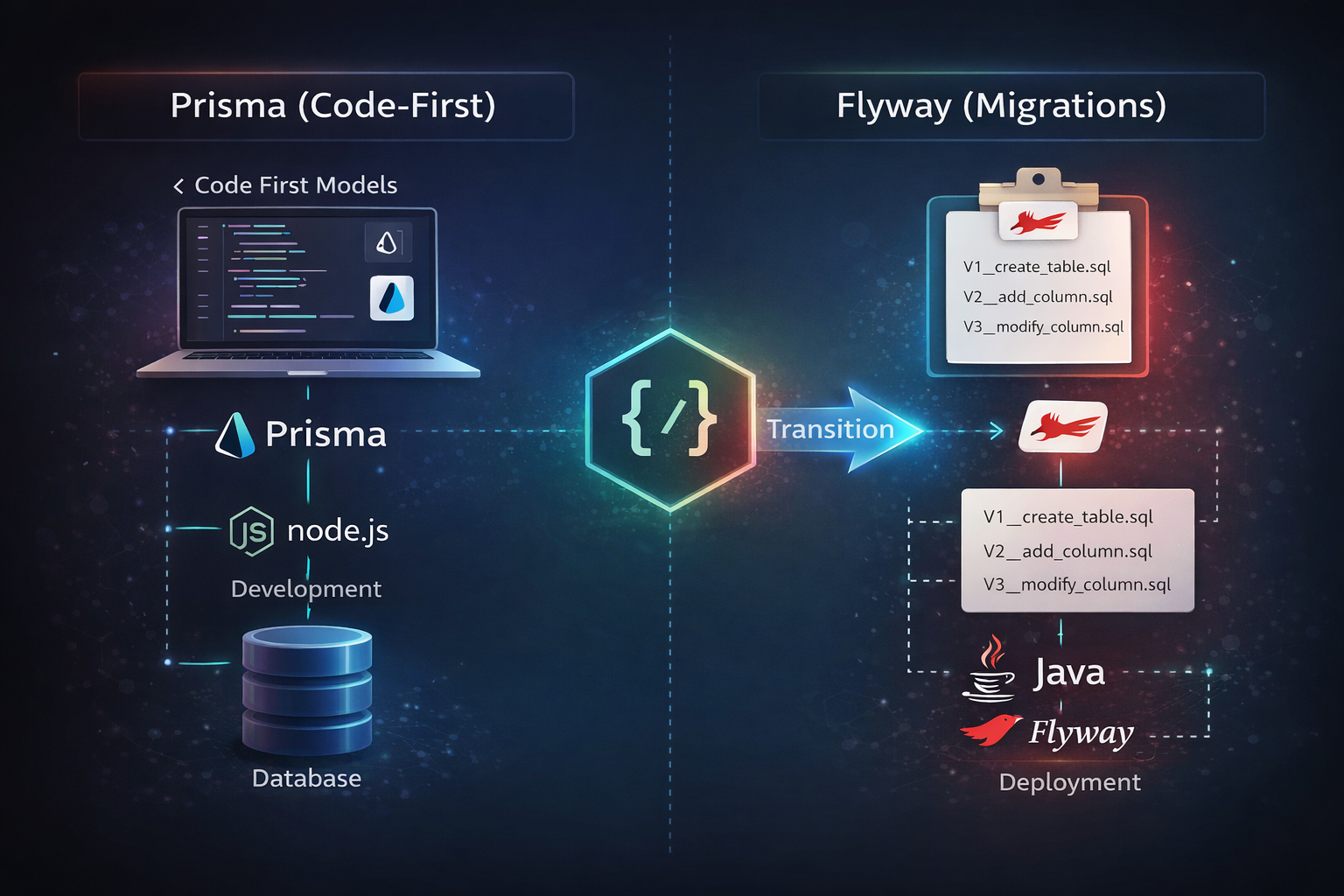
查看这篇文章的中文版本Transition from Prisma Code First to Flyway
Recently, while working on the open-source open-iot project (a Spring Boot-based IoT microservice platform), I encountered database migration management challenges.
For the past year, I’ve been using the Node.js + NestJS + Prisma ecosystem, getting used to the Code First development pattern:
- Modify
prisma.schema→npx prisma db push(directly sync database, prototype development) - Or
npx prisma migrate dev(generate migration files, team collaboration) - Then
npx prisma generate(generate TypeScript types)
This development experience was very smooth, especially suitable for rapid MVP iteration.
After switching to Java Spring Boot microservices, I found database migration to be completely different:
- ❌ How do multiple microservices coordinate database changes?
- ❌ SQL scripts scattered across services, how to manage versions?
- ❌ How to maintain database structure consistency across dev, test, and production environments?
- ❌ During team collaboration, how to know which scripts have been executed and which haven’t?
It wasn’t until I met Flyway that these problems were perfectly solved.
What is Flyway? Why Do Microservices Need It?
Flyway is an open-source database version management and migration tool that makes your database changes version-controlled and automatically executed just like code.
Core Values
- ✅ Version Control: Each SQL script has a version number, change history is traceable
- ✅ Automatic Execution: Automatically execute unapplied migration scripts on service startup
- ✅ Team Collaboration: SQL scripts managed in Git, avoiding file chaos
- ✅ Environment Consistency: Dev, test, and production database structures are completely identical
- ✅ Rollback Safety: Every change is recorded, problems can be quickly located
Flyway vs Manual Execution
| Dimension | Manual SQL Execution | Flyway Auto Migration |
|---|---|---|
| Version Management | ❌ Scattered files, no version numbers | ✅ Git version control |
| Execution Method | ❌ Manual database connection | ✅ Automatic on service startup |
| History Records | ❌ No records, hard to trace | ✅ flyway_schema_history table |
| Team Collaboration | ❌ Difficult script sharing | ✅ Unified repository management |
| Environment Consistency | ❌ Easy to miss scripts | ✅ All environments execute same scripts |
Spring Boot Integration with Flyway
Maven Dependencies
Add Flyway core dependencies and database driver in pom.xml:
<dependencies>
    <!-- Flyway Core -->
    <dependency>
        <groupId>org.flywaydb</groupId>
        <artifactId>flyway-core</artifactId>
    </dependency>

    <!-- PostgreSQL Database Support -->
    <dependency>
        <groupId>org.flywaydb</groupId>
        <artifactId>flyway-database-postgresql</artifactId>
    </dependency>
</dependencies>
Note: Spring Boot 3.x automatically manages Flyway versions, no need to manually specify version numbers.
application.yml Configuration
spring:
  flyway:
    enabled: true                    # Enable Flyway
    locations: classpath:db/migration # Migration script path (default, can be omitted)
    baseline-on-migrate: true        # Automatically create baseline on first migration
    validate-on-migrate: true        # Validate checksum before migration
    out-of-order: false              # Disable out-of-order execution (recommended for production)
    clean-disabled: true             # Disable clean command (required for production)
    table: flyway_schema_history     # History table name (default)
    encoding: UTF-8                  # Script encoding
Key Configuration Notes:
baseline-on-migrate: true: Automatically create baseline version when enabling Flyway on existing databaseclean-disabled: true: Must be disabled in production to prevent accidental database deletionout-of-order: false: Force execution in version number order to avoid chaos
Working Principle
- Service Startup → Flyway scans
classpath:db/migration/directory - First Run → Creates
flyway_schema_historytable (records migration history) - Version Comparison → Checks executed scripts vs pending scripts
- Automatic Execution → Executes unapplied migration scripts in version number order
- Record History → Records execution results in
flyway_schema_historytable
Flyway Implementation in Microservice Architecture
In microservice architecture, each service deploys and evolves independently, and database migration must also be managed independently.
Architecture Choice: Independent Database + Distributed Migration
In the IoT platform project, we adopted an independent database architecture, where each microservice has its own PostgreSQL database:
PostgreSQL Cluster
├── openiot_tenant    ← tenant-service (Tenant Service)
├── openiot_device    ← device-service (Device Service)
├── openiot_data      ← data-service (Data Service)
└── openiot_connect   ← connect-service (Connection Service)
Each service maintains its own migration scripts:
backend/
├── tenant-service/src/main/resources/db/migration/
│   ├── V1.0.0__init_tenant_schema.sql
│   ├── V1.0.1__init_tenant_data.sql
│   └── V1.1.0__rbac_tables.sql
│
├── device-service/src/main/resources/db/migration/
│   └── V1.0.0__init_device_schema.sql
│
├── data-service/src/main/resources/db/migration/
│   └── V1.0.0__init_data_schema.sql
│
└── connect-service/src/main/resources/db/migration/
    └── V1.0.0__init_connect_schema.sql
Key Features
- Independent Version Numbers: Each service has its own version sequence (V1.0.0, V1.1.0…), no interference
- All Services Enable Flyway: Each service automatically executes its own migration scripts on startup
- Default Path: Use
classpath:db/migration, no additional configuration needed
Practice: Add New Table in 5 Minutes
Scenario
tenant-service needs to add tenant quota table tenant_quota.
Steps
1. Create Migration Script
cd backend/tenant-service/src/main/resources/db/migration/
touch V1.2.0__add_tenant_quota.sql
2. Write SQL (Follow Idempotency Principle)
-- ========================================
-- Tenant Quota Table
-- Version: 1.2.0
-- ========================================

CREATE TABLE IF NOT EXISTS tenant_quota (
    id BIGSERIAL PRIMARY KEY,
    tenant_id BIGINT NOT NULL,
    quota_type VARCHAR(50) NOT NULL,
    quota_limit INTEGER NOT NULL,
    quota_used INTEGER DEFAULT 0,
    status CHAR(1) DEFAULT '1',
    delete_flag CHAR(1) DEFAULT '0',
    create_time TIMESTAMP DEFAULT CURRENT_TIMESTAMP,
    update_time TIMESTAMP DEFAULT CURRENT_TIMESTAMP,
    CONSTRAINT uk_tenant_quota UNIQUE (tenant_id, quota_type)
);

COMMENT ON TABLE tenant_quota IS 'Tenant quota table';
COMMENT ON COLUMN tenant_quota.quota_type IS 'Quota type: device-count, user-count';

CREATE INDEX IF NOT EXISTS idx_tenant_quota_tenant
    ON tenant_quota(tenant_id, delete_flag);
3. Restart Service
cd backend/tenant-service
mvn spring-boot:run
4. Verification
SELECT * FROM flyway_schema_history ORDER BY installed_rank;

installed_rank | version |   description    | success
---------------+---------+------------------+---------
             1 | 1.0.0   | init tenant...   | t
             2 | 1.0.1   | init tenant...   | t
             3 | 1.1.0   | rbac tables      | t
             4 | 1.2.0   | add tenant quota | t  ← New record
That’s it! Flyway automatically detects and executes the new script, with complete and traceable database change records.
5 Best Practices for Production Environments
1. Disable clean Command
spring:
  flyway:
    clean-disabled: true  # Must disable in production to prevent data deletion
2. Strict Validation
spring:
  flyway:
    validate-on-migrate: true  # Validate checksum of executed scripts
    out-of-order: false        # Disable out-of-order execution
3. Backup Data
Must backup database before executing migration in production!
pg_dump -U postgres openiot_tenant > backup_$(date +%Y%m%d).sql
4. Scripts Cannot Be Modified
Once a migration script is executed, it must never be modified! Flyway validates checksums, modification will cause migration failure.
Need adjustments? Create a new migration script (e.g., V1.2.1__fix_xxx.sql).
5. Idempotent Design
Use IF NOT EXISTS, IF EXISTS to ensure scripts can be executed repeatedly:
✅ Good approach
CREATE TABLE IF NOT EXISTS tenant_quota (...);
ALTER TABLE device ADD COLUMN IF NOT EXISTS last_online_time TIMESTAMP;

❌ Bad approach
CREATE TABLE tenant_quota (...);  -- Repeated execution will error
Transformation from Manual to Automatic
Since introducing Flyway, our database migration process has undergone a complete transformation:
Before:
- 😫 Manually find SQL scripts → manually connect to database → manually execute → manually record
- 😱 Don’t know which scripts have been executed, which haven’t
- 😵 Team members maintain scripts separately, prone to conflicts
Now:
- 😊 SQL scripts in Git, code review
- 😄 Automatic migration on service startup
- 😎 flyway_schema_history completely records all changes
- 🤝 Smooth team collaboration, unified version management
Deployment time reduced from 3 hours to 10 minutes, 18x efficiency improvement!
Summary
Flyway is not just a tool, but an engineering mindset for database change management.
In microservice architecture, it solves:
- ✅ Version control of database changes
- ✅ Collaboration issues in multi-service independent migration
- ✅ Multi-environment consistency assurance
- ✅ Historical traceability and audit requirements
If your project is still manually executing SQL scripts, it’s time to embrace Flyway.
Trust me, your team will thank you.
References
- Flyway Official Documentation: flywaydb.org/documentation/
- Flyway Best Practices: Avoiding 90% of Migration Pitfalls
- Flyway Practical Application in Microservice Architecture
- Flyway Community Cases: Successful Enterprise Database Migration Practice Guide
Welcome to follow the WeChat public account FishTech Notes to exchange usage experiences!