MCP Server Picks: Let Claude Code See Images, Search, and Read Docs
1/20/2026
Preface: from “can do work” to “can do anything”
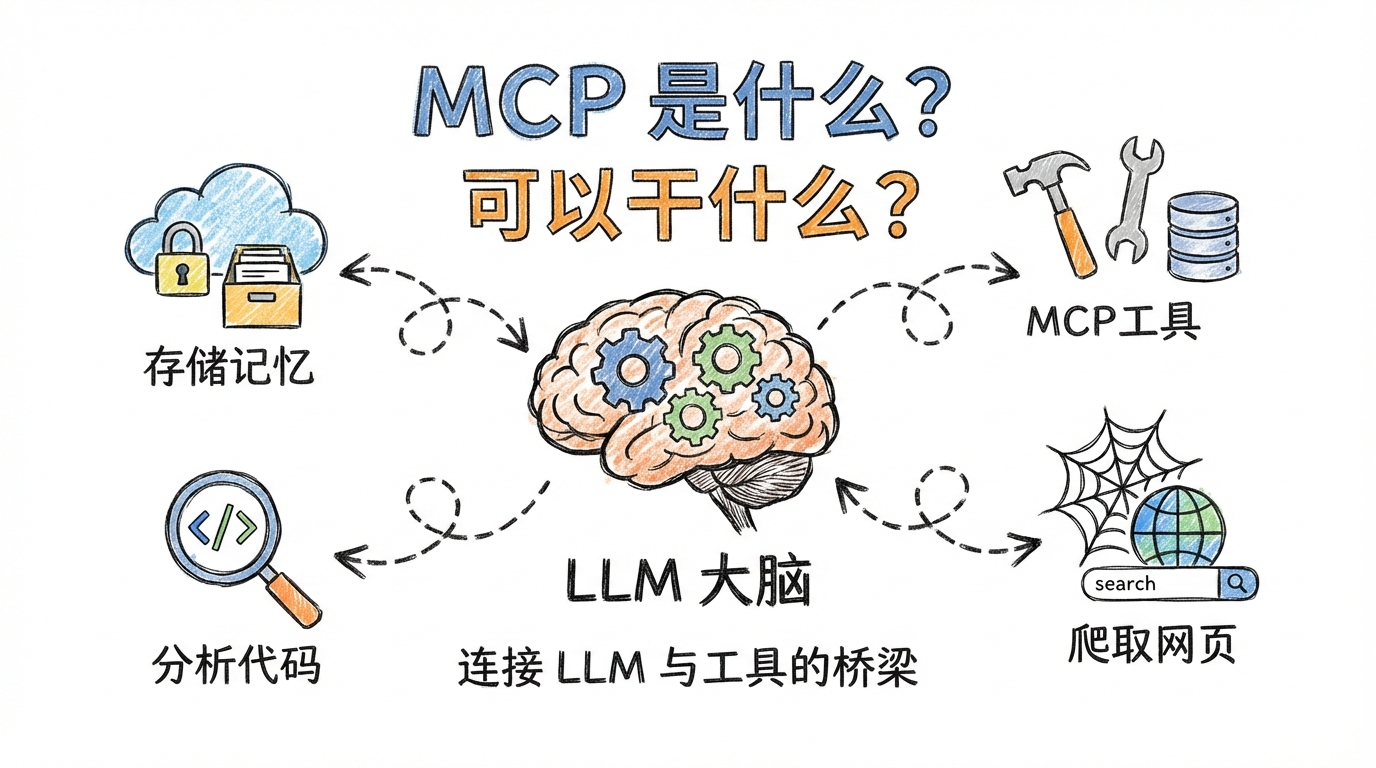
Remember your first time using Claude Code? It could read code, write code, fix bugs. Impressive. But imagine if it could search the web, analyze images, and read GitHub docs directly.
That is the magic of MCP (Model Context Protocol).
In Nov 2024, Anthropic released MCP as an open standard, redefining the capability boundaries of AI assistants. Think of MCP as a plugin system for Claude Code, enabling connections to external tools and data sources.
This post shares the most practical MCP servers I use, so your Claude Code goes from “can do work” to “can do anything.”
1. What is MCP and why use it?
1.1 The essence of MCP
MCP (Model Context Protocol) is an open protocol introduced by Anthropic. Its goal:
Enable AI assistants to connect external data sources and tools safely and in a standard way.
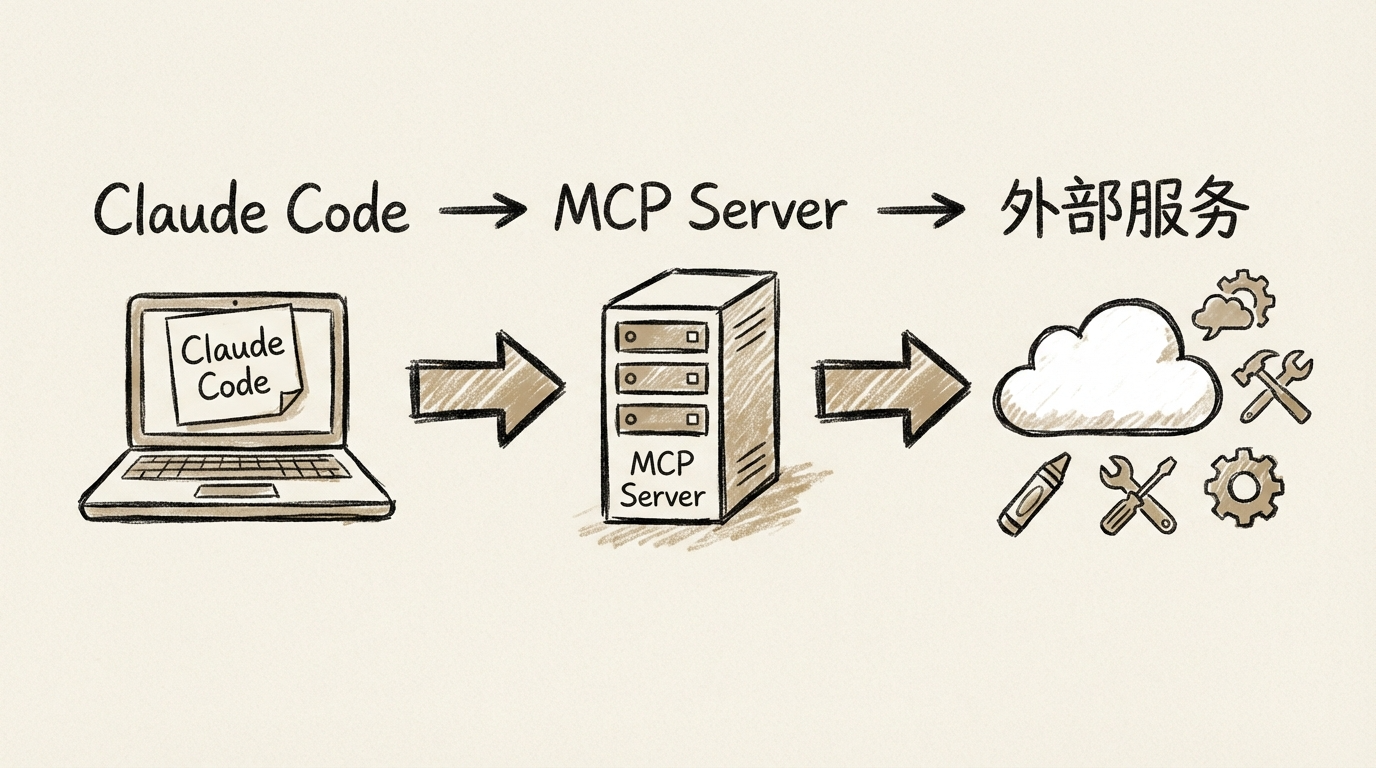
Before MCP, each AI tool needed custom integrations for databases, APIs, and filesystems. MCP gives a unified client-server architecture:
- MCP clients: Claude Code, Cline, etc.
- MCP servers: services for search, image analysis, doc lookup, etc.
Build once, use across MCP-capable AI tools.
1.2 What can MCP do?
MCP servers can provide:
- Data access: databases, filesystems, APIs
- Tool calls: search, analysis, conversion
- Real-time info: latest web content and docs
- Multimodal: image recognition, OCR, video analysis
In short, MCP turns Claude Code from “code-only” into “search, see, and analyze everything.”
2. Practical MCP servers I recommend
These are servers I actually use.
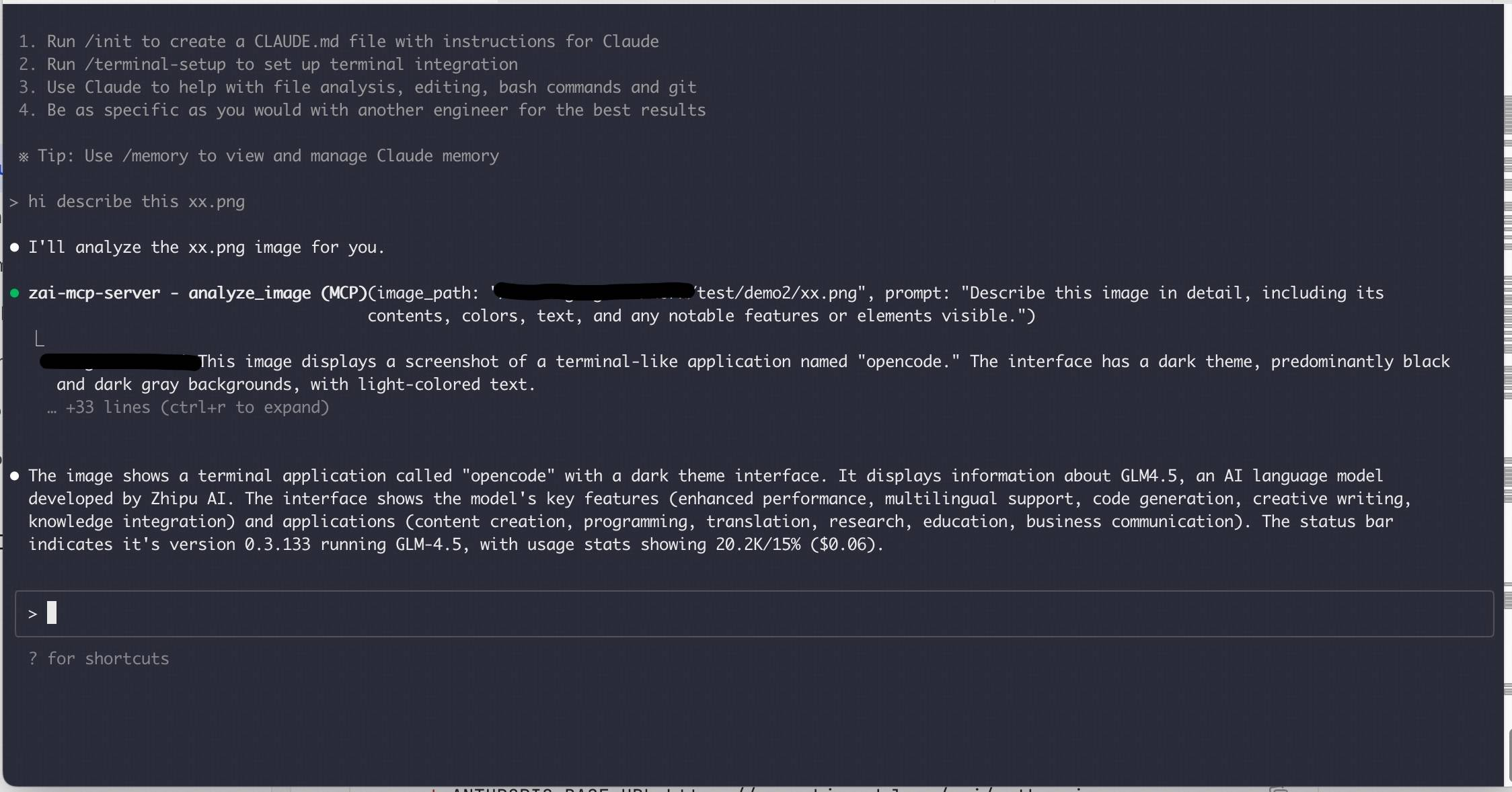
2.1 zai-mcp-server: image analysis powerhouse
What it does
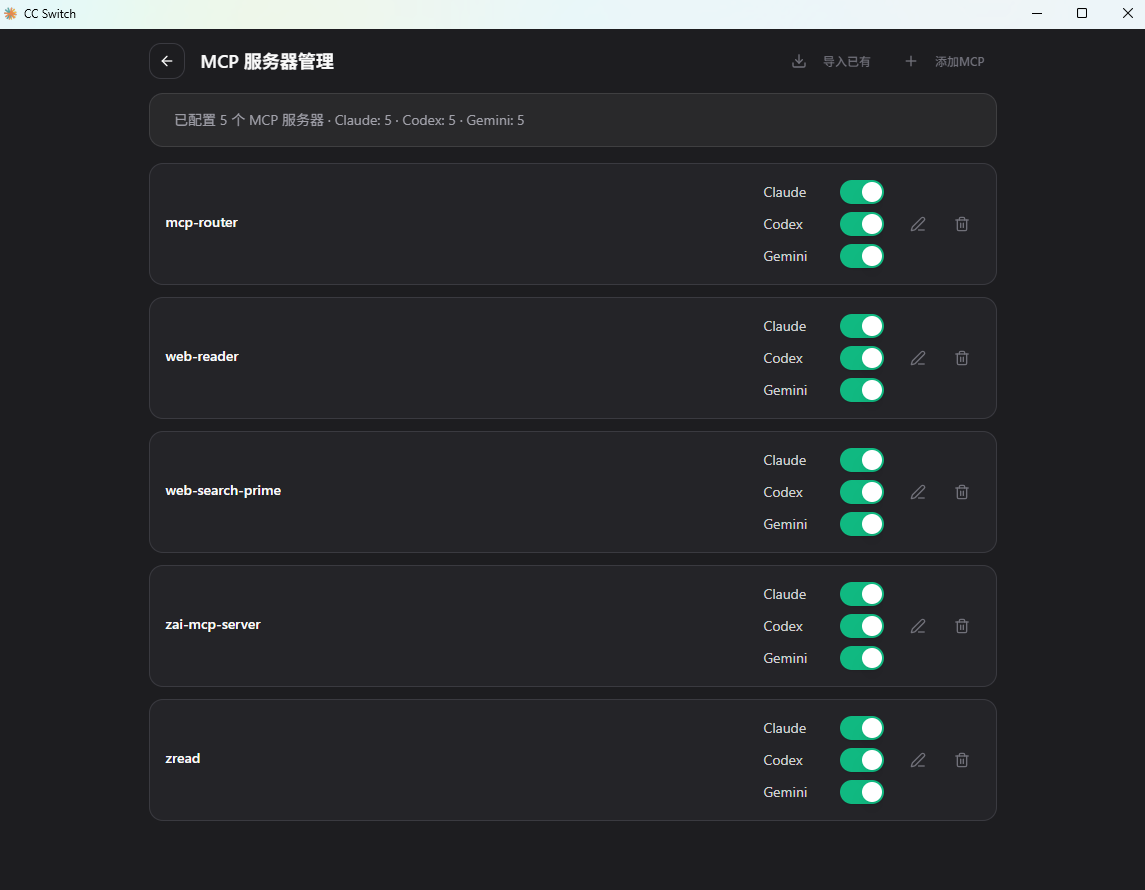
zai-mcp-server is Z.AI’s vision MCP based on GLM-4.6V:
- UI to code: upload designs, generate frontend code
- OCR: extract text from images
- Error diagnosis: analyze error screenshots
- Diagram understanding: architecture, flowcharts, UML
- Data viz analysis: read charts and dashboards
Use cases
- Frontend: design-to-code
- Debugging: screenshot errors
- Docs: scan and extract text
- Learning: upload diagrams for explanation
Docs
https://docs.bigmodel.cn/cn/coding-plan/mcp/vision-mcp-server
Config
{
  "mcpServers": {
    "zai-mcp-server": {
      "type": "stdio",
      "command": "npx",
      "args": ["-y", "@z_ai/mcp-server"],
      "env": {
        "Z_AI_API_KEY": "your_api_key",
        "Z_AI_MODE": "ZHIPU"
      }
    }
  }
}
2.2 web-reader: web content extractor
What it does
web-reader extracts clean web content:
- fetch any page content
- convert HTML to Markdown
- remove ads/irrelevant sections
- preserve structure
Use cases
- research: grab docs and blog posts
- note-taking: batch extract
- competitive analysis
Docs
https://docs.bigmodel.cn/cn/coding-plan/mcp/reader-mcp-server
Config
{
  "mcpServers": {
    "web-reader": {
      "type": "http",
      "url": "https://open.bigmodel.cn/api/mcp/web_reader/mcp",
      "headers": {
        "Authorization": "Bearer your_api_key"
      }
    }
  }
}
2.3 web-search-prime: real-time web search
What it does
web-search-prime provides:
- multi-engine search (Google, Bing, DuckDuckGo)
- time range filters
- domain allowlist
- summary results
Use cases
- troubleshooting
- industry tracking
- doc discovery
Docs
https://docs.bigmodel.cn/cn/coding-plan/mcp/search-mcp-server
Config
{
  "mcpServers": {
    "web-search-prime": {
      "type": "http",
      "url": "https://open.bigmodel.cn/api/mcp/web_search_prime/mcp",
      "headers": {
        "Authorization": "Bearer your_api_key"
      }
    }
  }
}
2.4 zread: GitHub doc search specialist
What it does
zread is built for GitHub:
- search repo docs, issues, commits
- understand technical questions and return code snippets
- bilingual search (zh/en)
Use cases
- learn open-source projects fast
- find similar issues
- lookup API usage
Docs
https://docs.bigmodel.cn/cn/coding-plan/mcp/zread-mcp-server
Config
{
  "mcpServers": {
    "zread": {
      "type": "http",
      "url": "https://open.bigmodel.cn/api/mcp/zread/mcp",
      "headers": {
        "Authorization": "Bearer your_api_key"
      }
    }
  }
}
2.5 More MCP servers worth trying

mcp-fetch: flexible HTTP fetcher
What it does
- supports HTML, JSON, text, Markdown
- auto HTML to Markdown
- ignores robots.txt
- custom headers and params
Use cases
- scrape docs and blogs
- fetch API data
- content analysis
Repo
https://github.com/modelcontextprotocol/servers/tree/main/src/fetch
Config
{
  "mcpServers": {
    "fetch": {
      "command": "npx",
      "args": ["-y", "@modelcontextprotocol/server-fetch"]
    }
  }
}
mcp-filesystem: safe filesystem access
What it does
- read/write/create/delete files and dirs
- search files and metadata
- sandbox to allowed directory
- move/rename files
Use cases
- project file operations
- log analysis
- config edits
Repo
https://github.com/modelcontextprotocol/servers/tree/main/src/filesystem
Config
{
  "mcpServers": {
    "filesystem": {
      "command": "npx",
      "args": [
        "-y",
        "@modelcontextprotocol/server-filesystem",
        "/path/to/allowed/directory"
      ]
    }
  }
}
mcp-memory: knowledge graph memory
What it does
- store entities, relations, observations
- remember user info across sessions
- semantic search and retrieval
- auto merge and dedupe
Use cases
- user preference memory
- project knowledge base
- long-term memory
Repo
https://github.com/modelcontextprotocol/servers/tree/main/src/memory
Config
{
  "mcpServers": {
    "memory": {
      "command": "npx",
      "args": ["-y", "@modelcontextprotocol/server-memory"]
    }
  }
}
mcp-github: GitHub management
What it does
- browse repos, directories, files
- manage issues and PRs
- search code and repos
- commit code and manage branches
Use cases
- code review and PRs
- issue tracking
- repo lookup
Repo
https://github.com/github/github-mcp-server
Config
Get a GitHub PAT: https://github.com/settings/tokens
{
  "mcpServers": {
    "github": {
      "command": "npx",
      "args": ["-y", "@modelcontextprotocol/server-github"],
      "env": {
        "GITHUB_PERSONAL_ACCESS_TOKEN": "your-token-here"
      }
    }
  }
}
mcp-router: MCP management hub
What it does
- manage multiple MCP servers
- flexible routing rules
- HTTP/SSE endpoints
- visual management UI
- multi-instance support
Use cases
- centralized MCP management
- team config sharing
- performance optimization
- complex routing
Repo
https://github.com/mcp-router/mcp-router
Config
{
  "mcpServers": {
    "mcp-router": {
      "command": "npx",
      "args": ["-y", "mcp-router"]
    }
  }
}
chrome-devtools: Chrome official debugging
What it does
- control and inspect browser sessions
- debug web apps in real time
- access DevTools data
- automate browser interactions
- monitor network requests
Use cases
- frontend debugging
- automation tests
- performance analysis
- web scraping
Repo
https://github.com/ChromeDevTools/chrome-devtools-mcp
Config
{
  "mcpServers": {
    "chrome-devtools": {
      "command": "npx",
      "args": ["-y", "@modelcontextprotocol/server-chrome-devtools"]
    }
  }
}
playwright: Microsoft browser automation
What it does
- cross-browser (Chrome/Firefox/WebKit)
- screenshots and snapshots
- form fill and submit
- element interactions
- network interception
Use cases
- E2E testing
- UI automation
- web screenshots
- dynamic scraping
- form testing
Repo
https://github.com/microsoft/playwright-mcp
Config
{
  "mcpServers": {
    "playwright": {
      "command": "npx",
      "args": ["-y", "@executeautomation/playwright-mcp"]
    }
  }
}
deepwiki: GitHub repo encyclopedia
What it does
- smart search and understanding of repos
- auto index docs and code
- semantic QA for precise info
- code snippet lookup
- architecture analysis
Use cases
- learn unfamiliar repos
- find reference implementations
- compare open-source options
- issue troubleshooting
- API doc lookup
Repo
https://github.com/mcp/cognitionai/deepwiki
Config
{
  "mcpServers": {
    "deepwiki": {
      "command": "npx",
      "args": ["-y", "@regenrek/mcp-deepwiki"]
    }
  }
}
context7: real-time doc lookup
What it does
- fetch latest or specific version docs
- supports major libraries/frameworks
- smart ranking of resources
- embed docs into prompts
- bilingual search
Use cases
- API lookup
- version diffs
- best-practice code examples
- learning new stacks
- solve specific problems
Repo
https://github.com/upstash/context7
Config
{
  "mcpServers": {
    "context7": {
      "type": "http",
      "url": "https://mcp.context7.com/mcp"
    }
  }
}
sequential-thinking: structured reasoning helper
What it does
- break complex problems into steps
- record full reasoning chain
- multi-round reasoning and reflection
- improve solution quality
Use cases
- complex problem analysis
- architecture design
- debugging root causes
- technical planning
- knowledge structuring
Repo
https://github.com/modelcontextprotocol/servers/tree/main/src/sequentialthinking
Config
{
  "mcpServers": {
    "sequential-thinking": {
      "command": "npx",
      "args": ["-y", "@modelcontextprotocol/server-sequential-thinking"]
    }
  }
}
serena: smart code analysis
What it does
- semantic code analysis (LSP)
- symbol search and references
- refactoring and editing
- project structure understanding
- cross-file dependency analysis
Use cases
- refactoring and optimization
- architecture comprehension
- symbol lookup
- code review
- migration assistance
Repo
https://github.com/oraios/serena
Config
{
  "mcpServers": {
    "serena": {
      "command": "npx",
      "args": ["-y", "serena-mcp"]
    }
  }
}
3. Manage MCP easily with cc switch
Editing JSON by hand is outdated. cc switch gives a cleaner workflow.
3.1 What is cc switch?
cc switch is a cross-platform desktop app for Claude Code, Codex, and Gemini CLI:
- One-click switching between tools
- Visual config for MCP servers
- Sync configs across CLIs
- Live preview without restarts
GitHub
https://github.com/farion1231/cc-switch
3.2 Further reading
Two detailed guides I wrote:
1. Full cc switch guide
Still editing configs by hand? CC-Switch is a 5.9k-star tool
2. Multi-device sync
Configured at work, reconfigure at home? This method fixes it
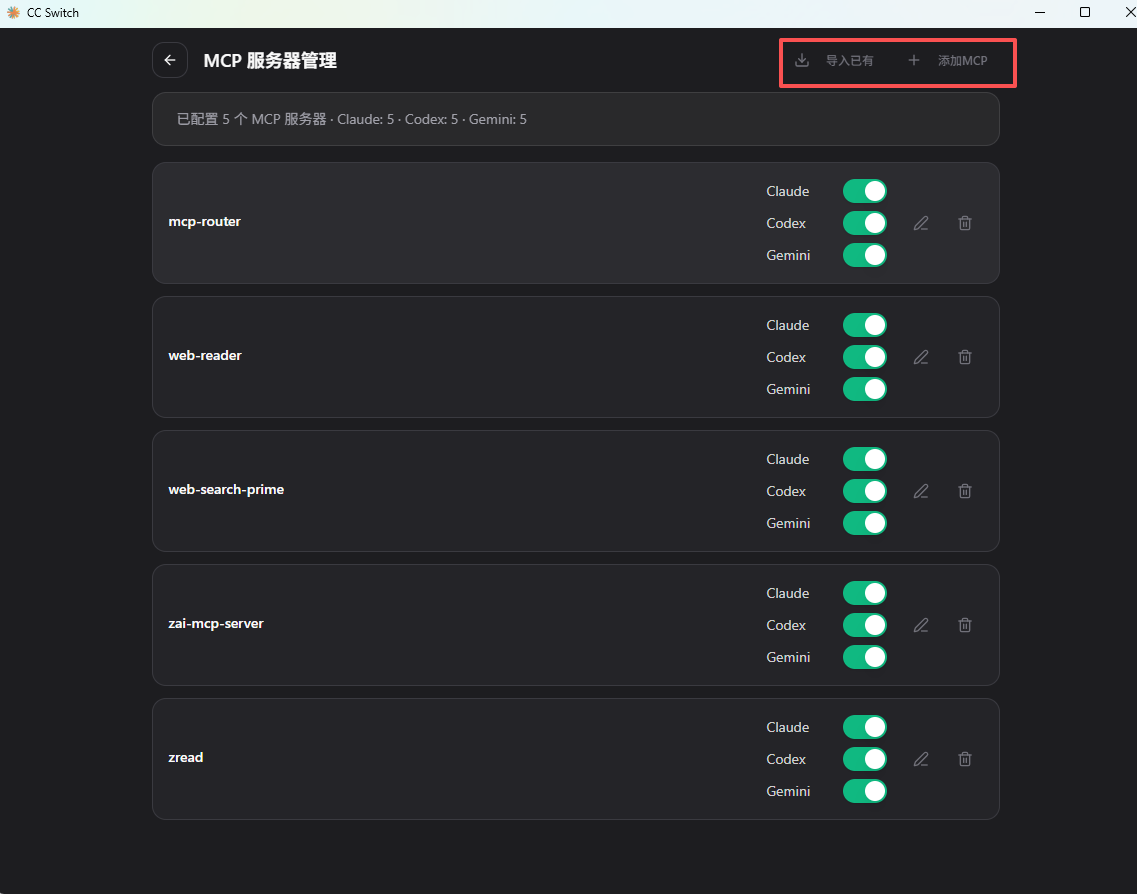
3.3 Configure MCP in cc switch
Step 1: open MCP management
- Launch cc switch
- Click the MCP config icon (top right)
- Enter MCP server management

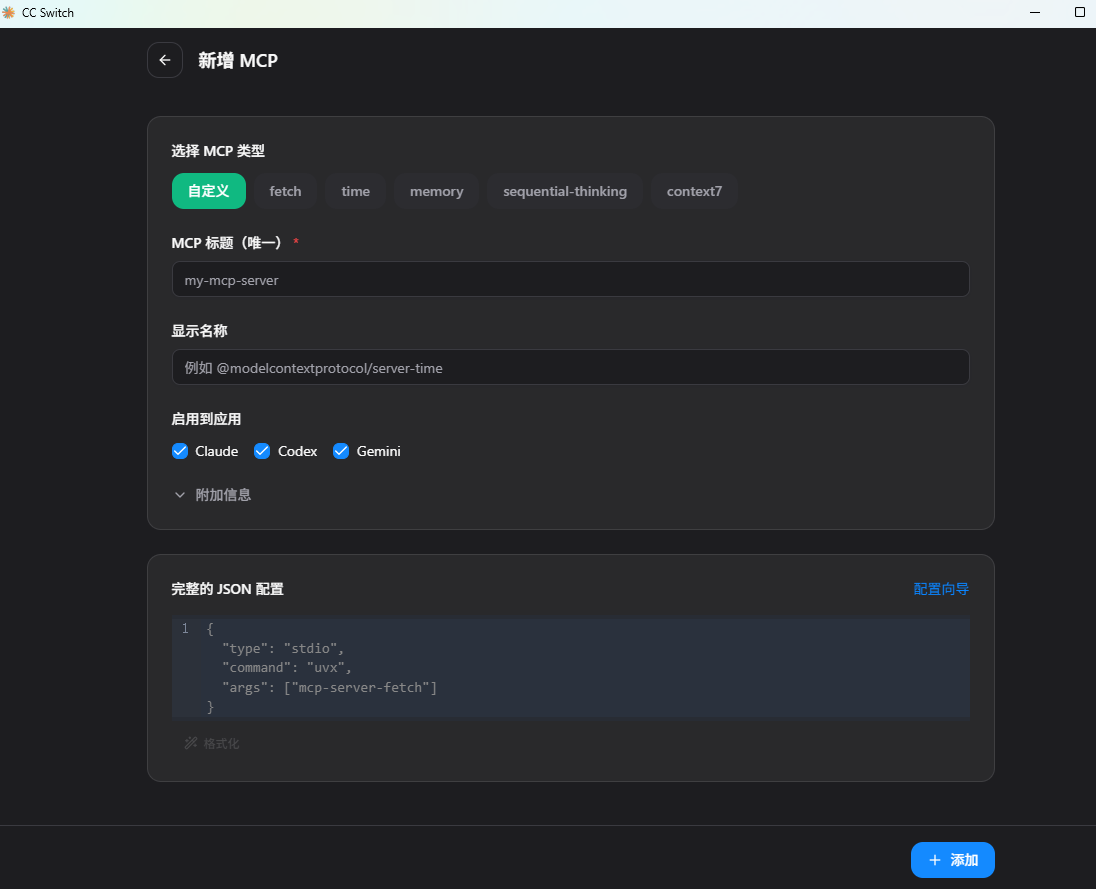
Step 2: add MCP servers
Two ways:
Manual
- Click “Add MCP Server”
- Fill fields:
- Name: e.g.
zai-mcp-server - Transport Type:
stdio - Command:
npx - Arguments:
-y,@zai/mcp-server - Environment Variables: optional
- Name: e.g.
- Click “Save”
From template (recommended)
- Click “成品mcp”
- Select a template server
- Auto-filled config
- Click “Save”
Step 3: enable/disable servers
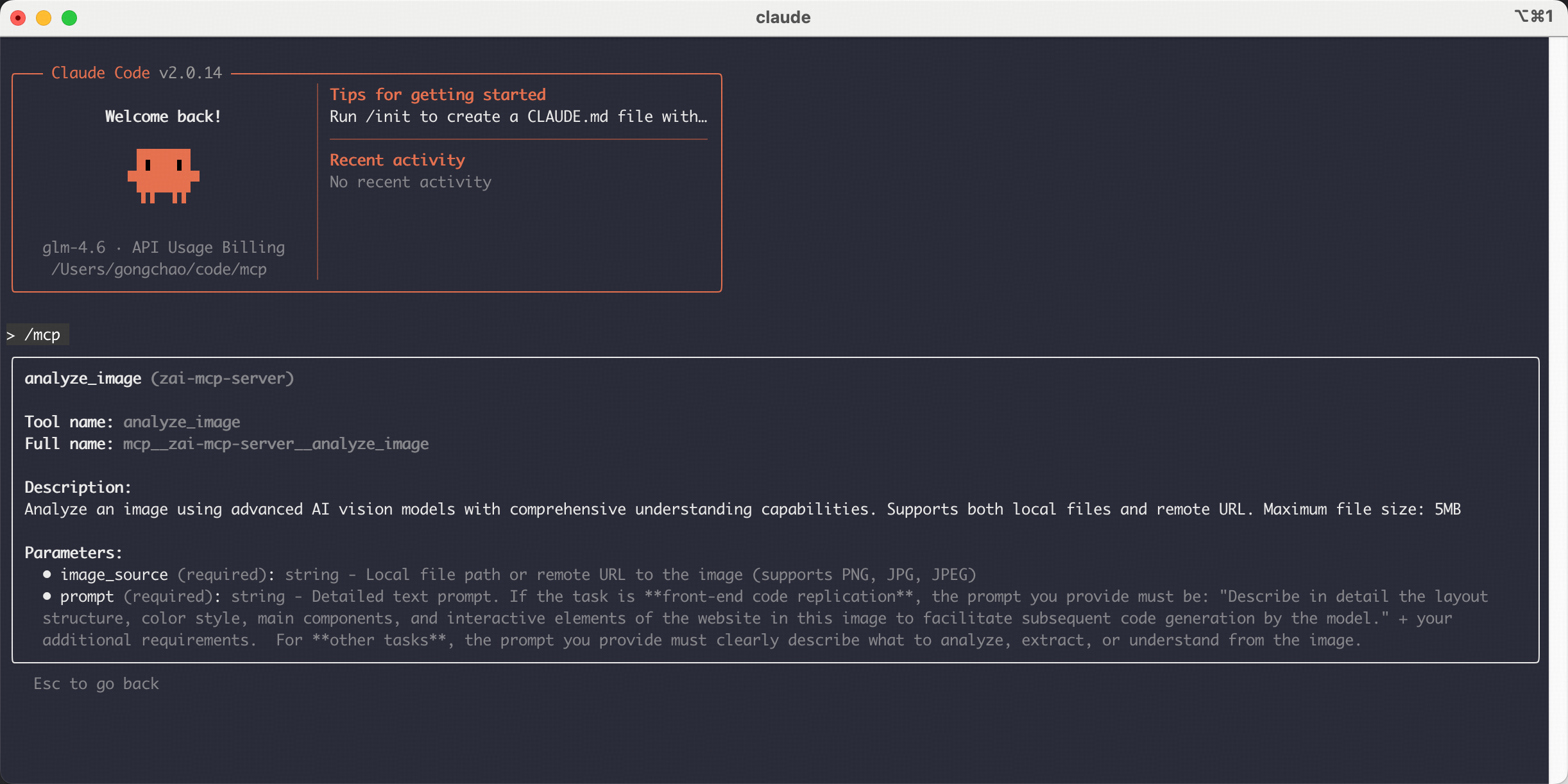
Each server has a toggle:
- Green: enabled
- Gray: disabled
Changes apply instantly without restarting Claude Code.
Common configs
| Server | Command | Arguments |
|---|---|---|
| zai-mcp-server | npx | -y, @zai/mcp-server |
| web-reader | npx | -y, @zai/web-reader-mcp |
| web-search-prime | npx | -y, web-search-mcp |
| zread | npx | -y, @zai/zread-mcp |
| mcp-router | npx | -y, mcp-router |
| chrome-devtools | npx | -y, @modelcontextprotocol/server-chrome-devtools |
| playwright | npx | -y, @executeautomation/playwright-mcp |
| deepwiki | npx | -y, @regenrek/mcp-deepwiki |
| context7 | (HTTP) | URL: https://mcp.context7.com/mcp |
| sequential-thinking | npx | -y, @modelcontextprotocol/server-sequential-thinking |
| serena | npx | -y, serena-mcp |
Notes
- Add each argument separately
- Use
stdioin most cases - Add API keys in Environment Variables
3.4 Why cc switch is better
| Item | Manual JSON | cc switch |
|---|---|---|
| Difficulty | needs JSON knowledge | visual, zero barrier |
| Error risk | easy to break syntax | validated |
| Config mgmt | scattered | centralized |
| Apply time | requires restart | instant |
| Multi-CLI | separate configs | shared |
3.5 Other GUI tools
MCP Manager
https://github.com/zueai/mcp-manager
Simple web UI for Claude Desktop MCP.
ConfigMCP
First GUI for MCP config management with import/export.
4. Reality check: MCP is not a silver bullet
MCP is powerful, but it is not always the best answer.
4.1 The cost: context tokens
Each MCP server consumes context. With 10 servers:
- slower responses
- higher token cost
- lower focus due to long context
4.2 Skills are the real trend
Claude Code Skills are lighter and more efficient:
- on-demand load
- zero config
- official support
Built-in Skills include:
- frontend-design
- canvas-design
- artifacts-builder
- video-processor
Skills vs MCP
| Dimension | Skill | MCP |
|---|---|---|
| Install | zero config | JSON config |
| Token cost | on-demand | always on |
| Stability | official | community |
| Use cases | general dev | niche needs |
| Recommendation | ⭐⭐⭐⭐⭐ | ⭐⭐⭐⭐ |
4.3 My advice
- Use Skills first
- Install MCP only when needed
- Clean up regularly
- Watch performance and token cost
5. Summary
MCP gives Claude Code access to the external world. But be rational:
MCP is icing, not the cake.
For most dev workflows, Claude Code + Skills are already strong. Use MCP only for specific needs like image analysis or real-time search.
Remember: simple, sufficient, efficient.
Do not load MCPs for show and end up with slow responses and high costs.
欢迎关注公众号 FishTech Notes,一块交流使用心得!