Zero-Cost Image Hosting: PicGo + GitHub + jsDelivr Full Guide
1/16/2026
Preface
Image management is a pain when writing Markdown. Local images are hard to share, and third-party image hosts can be unstable or paid. Here is a free solution: GitHub for storage, PicGo for uploads, and jsDelivr for CDN acceleration.
Benefits:
- Completely free, no traffic limits
- GitHub stability and version control
- jsDelivr global CDN, fast access
- PicGo one-click upload with timestamp renaming
1. Configure a GitHub repo
1.1 Create a public repo
Log in to GitHub, click ”+” (top right), choose “New repository”.
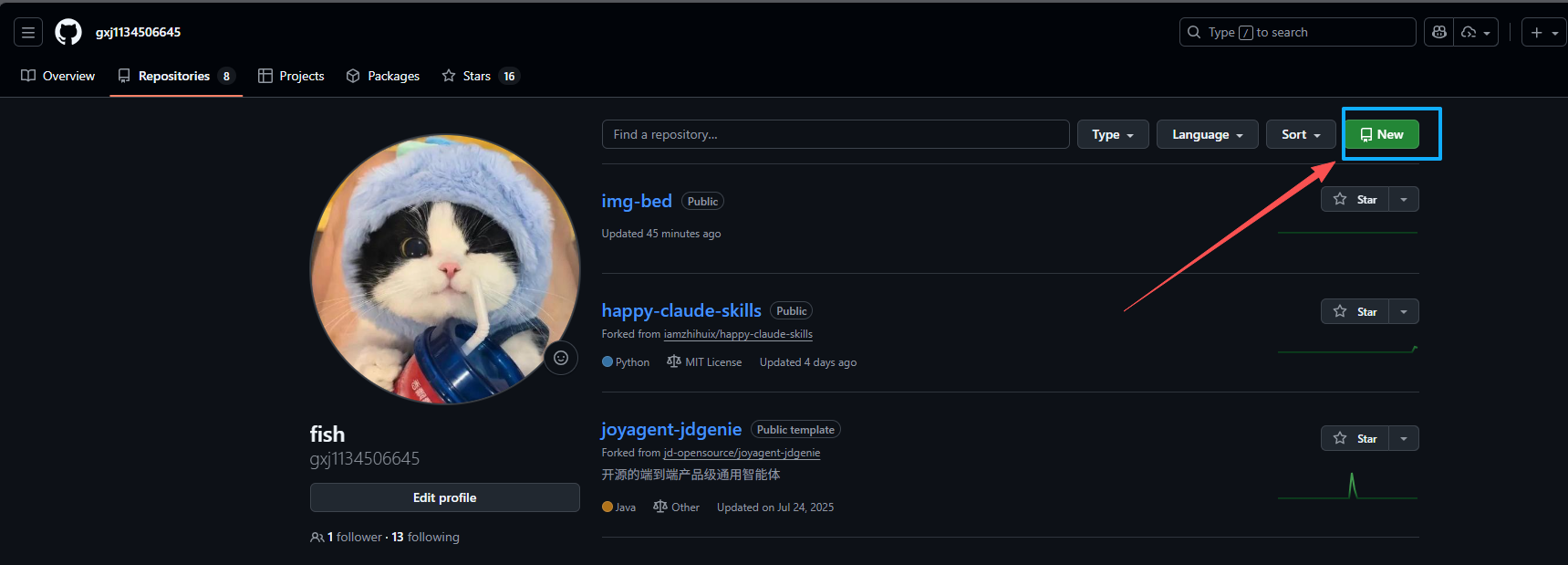
Name it e.g. img-bed. Important: set it to Public.
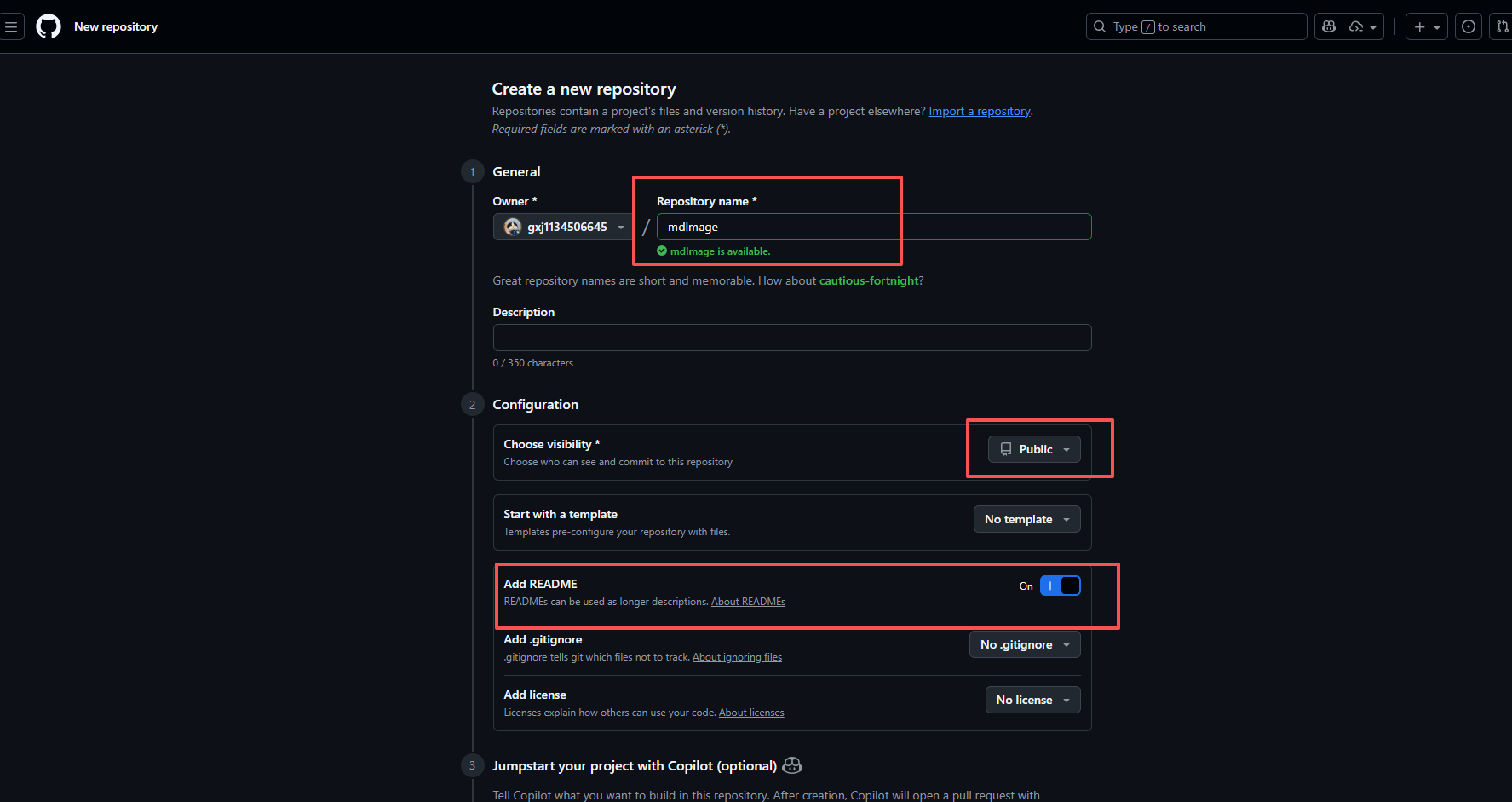
1.2 Create a Personal Access Token
PicGo needs a token to upload.
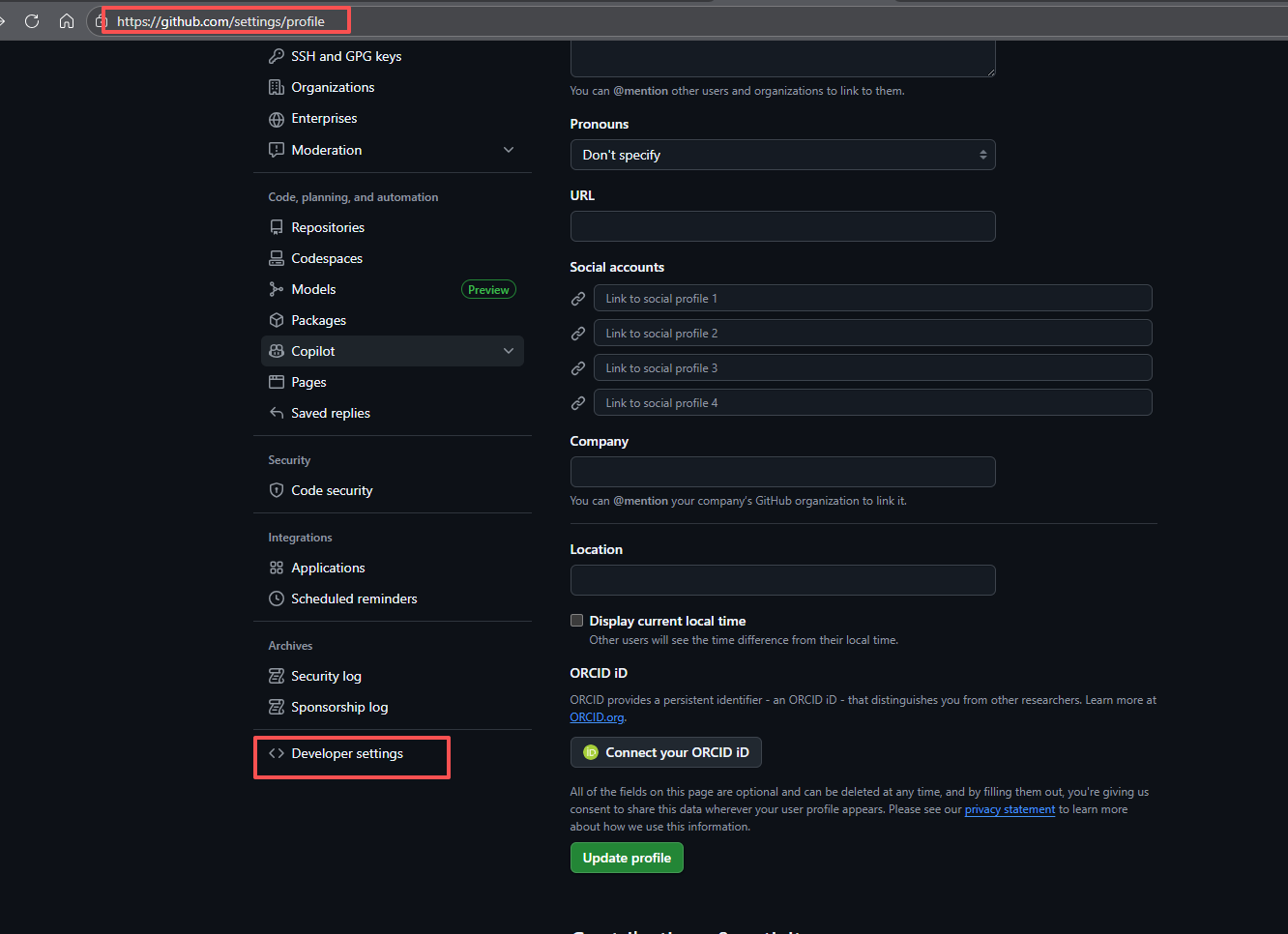
Path: Avatar -> Settings -> Developer settings -> Personal access tokens -> Tokens (classic) -> Generate new token (classic)


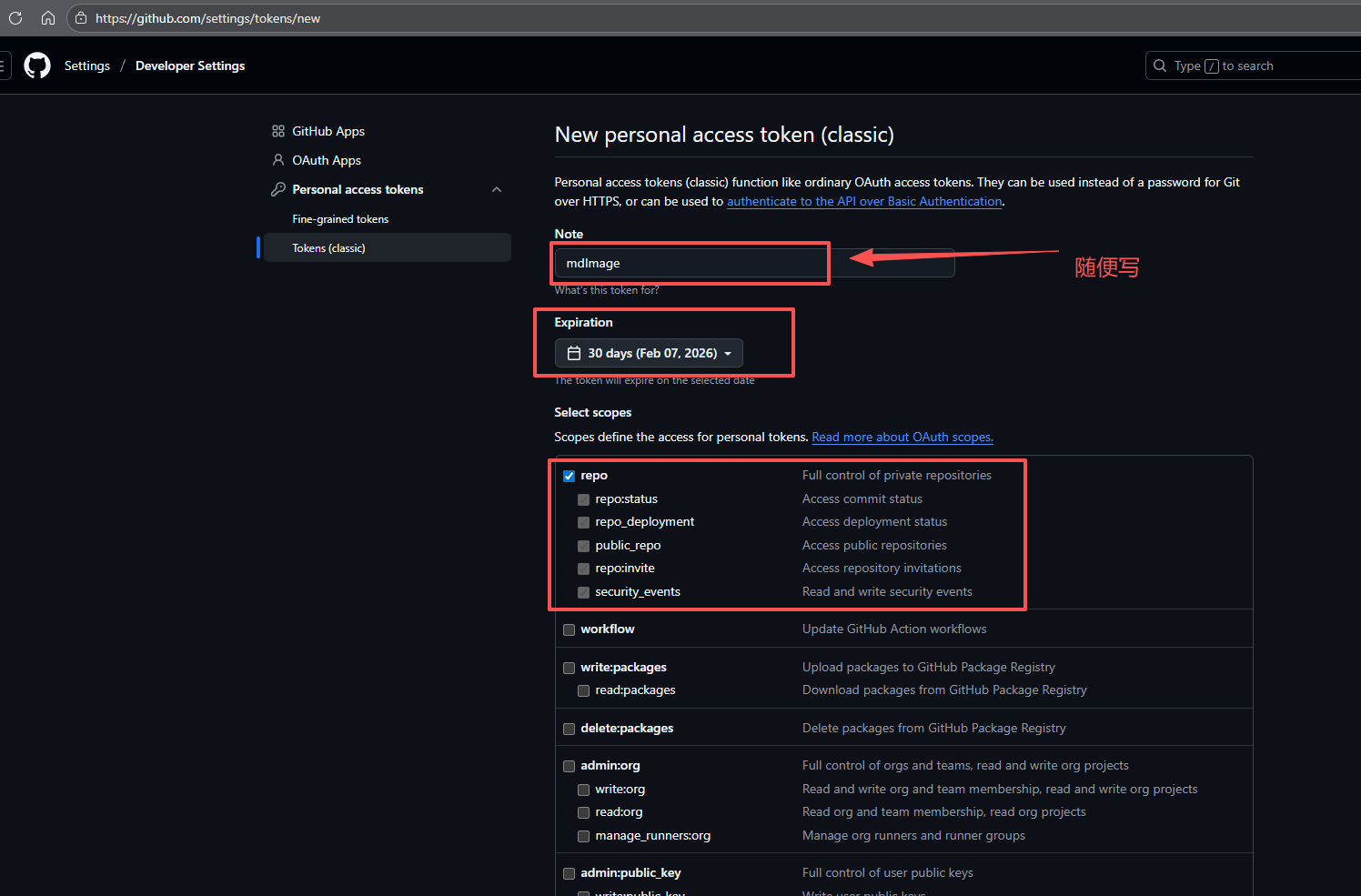
Token config:
- Note: e.g. “PicGo image host”
- Expiration: recommend ≤ 90 days
- Scopes:
repois enough
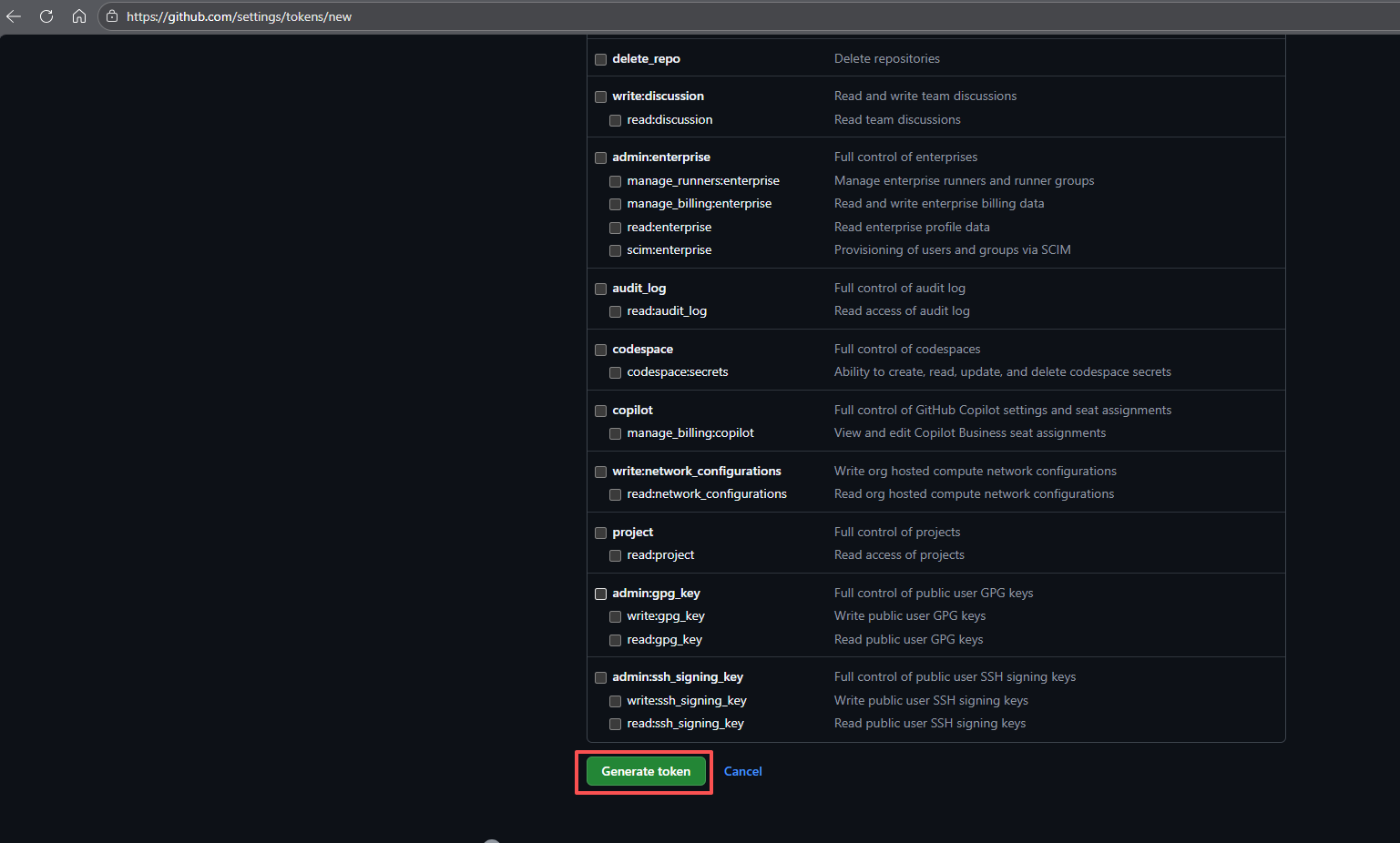
Copy the token immediately. You cannot see it again after closing.
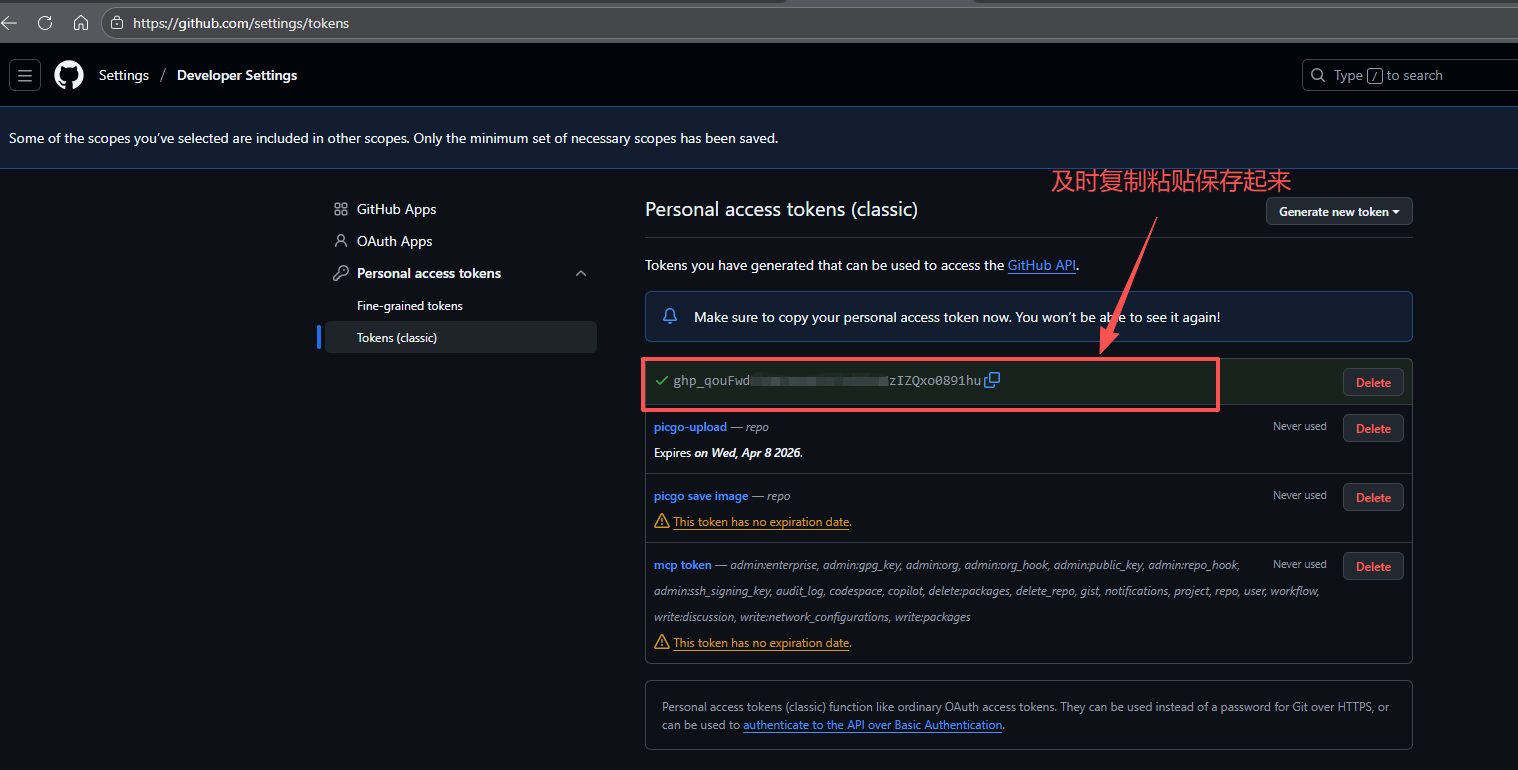
2. Install and configure PicGo
2.1 Download and install
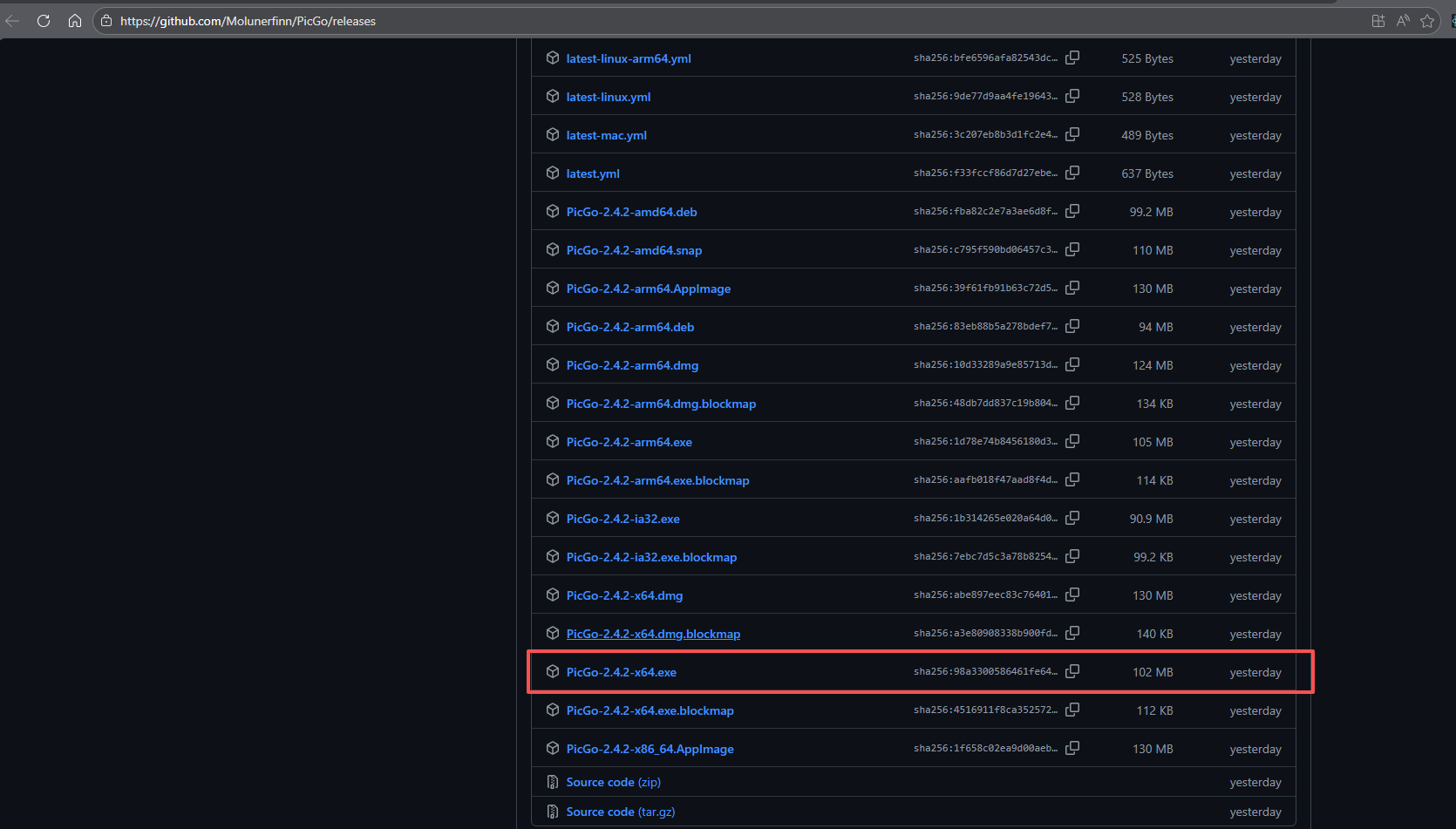
PicGo releases: https://github.com/Molunerfinn/PicGo/releases
Pick your OS and install.
2.2 Configure GitHub image host
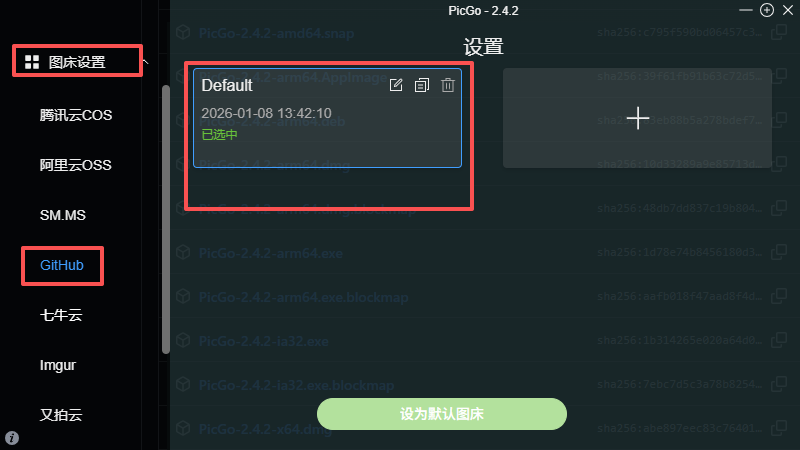
Open PicGo -> “Image Bed Settings” -> “GitHub”.
2.3 Fill config fields
| Field | Meaning | Example |
|---|---|---|
| Repo | username/repo | gxj1134506645/img-bed |
| Branch | default main | main |
| Token | your GitHub token | ghp_xxxxxxxxxxxx |
| Path | image folder | img/ |
| Custom domain | CDN URL | see below |
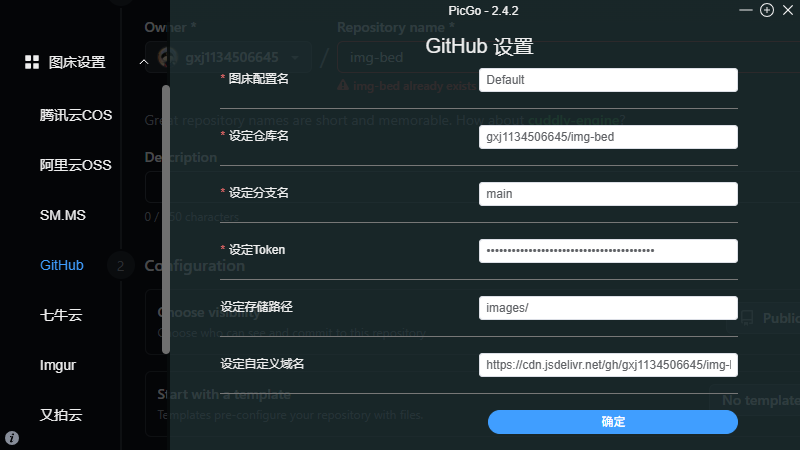
How to get repo name
In the GitHub repo URL, the part after github.com/ is the repo name.
Example: gxj1134506645/img-bed
Repo name: gxj1134506645/img-bed
Custom domain (CDN)
Use jsDelivr:
https://cdn.jsdelivr.net/gh/username/repo
Example:
https://cdn.jsdelivr.net/gh/gxj1134506645/img-bed
jsDelivr: https://www.jsdelivr.com/
Custom branch
If using a non-default branch (e.g. dev):
https://cdn.jsdelivr.net/gh/username/repo@branch
Example:
https://cdn.jsdelivr.net/gh/misakivv/Cloud-Image-Hosting@dev
3. Test upload
After config, select GitHub image bed in PicGo and upload.
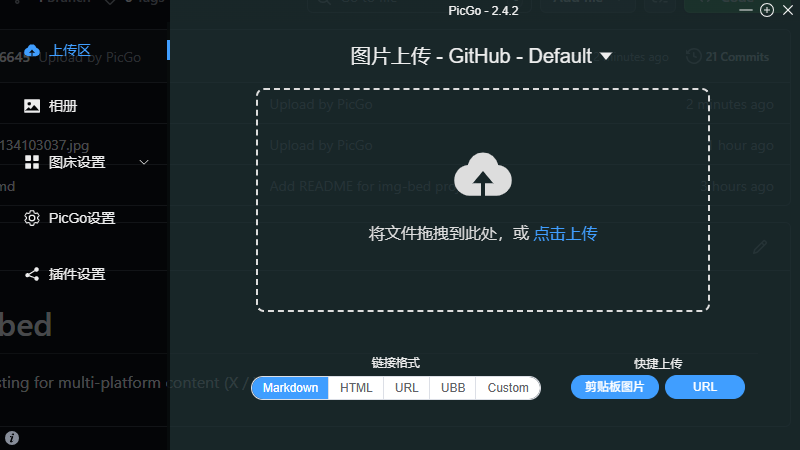
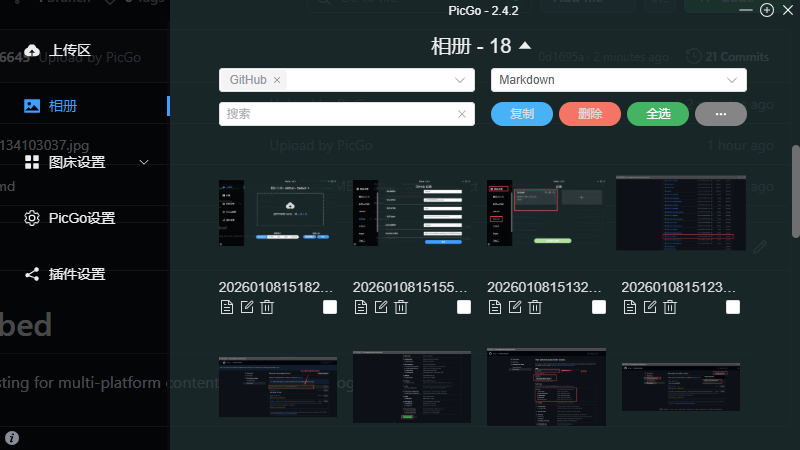
Check uploads and CDN links in the album.
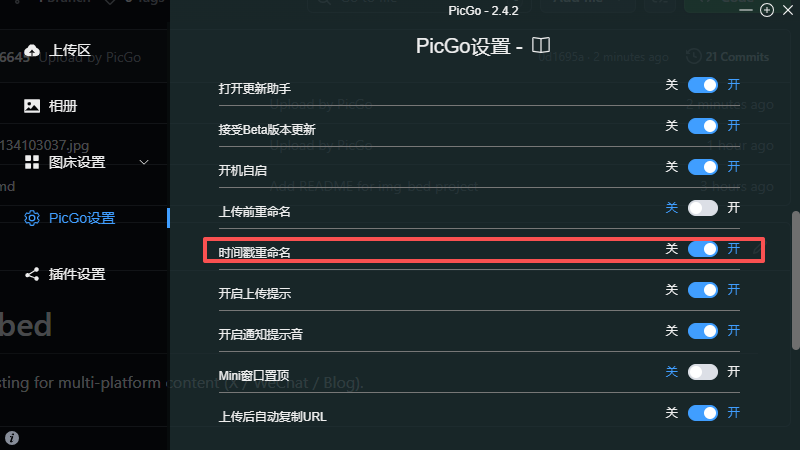
Timestamp rename
Enable “Rename by timestamp” to avoid overwrites.
4. Typora integration (optional)
If you use Typora:
Steps
- Open Preferences (Ctrl + ,)
- Go to “Image”
- For “When inserting images”, choose “Upload image”
- Upload service: “PicGo (app)”
- Set PicGo path
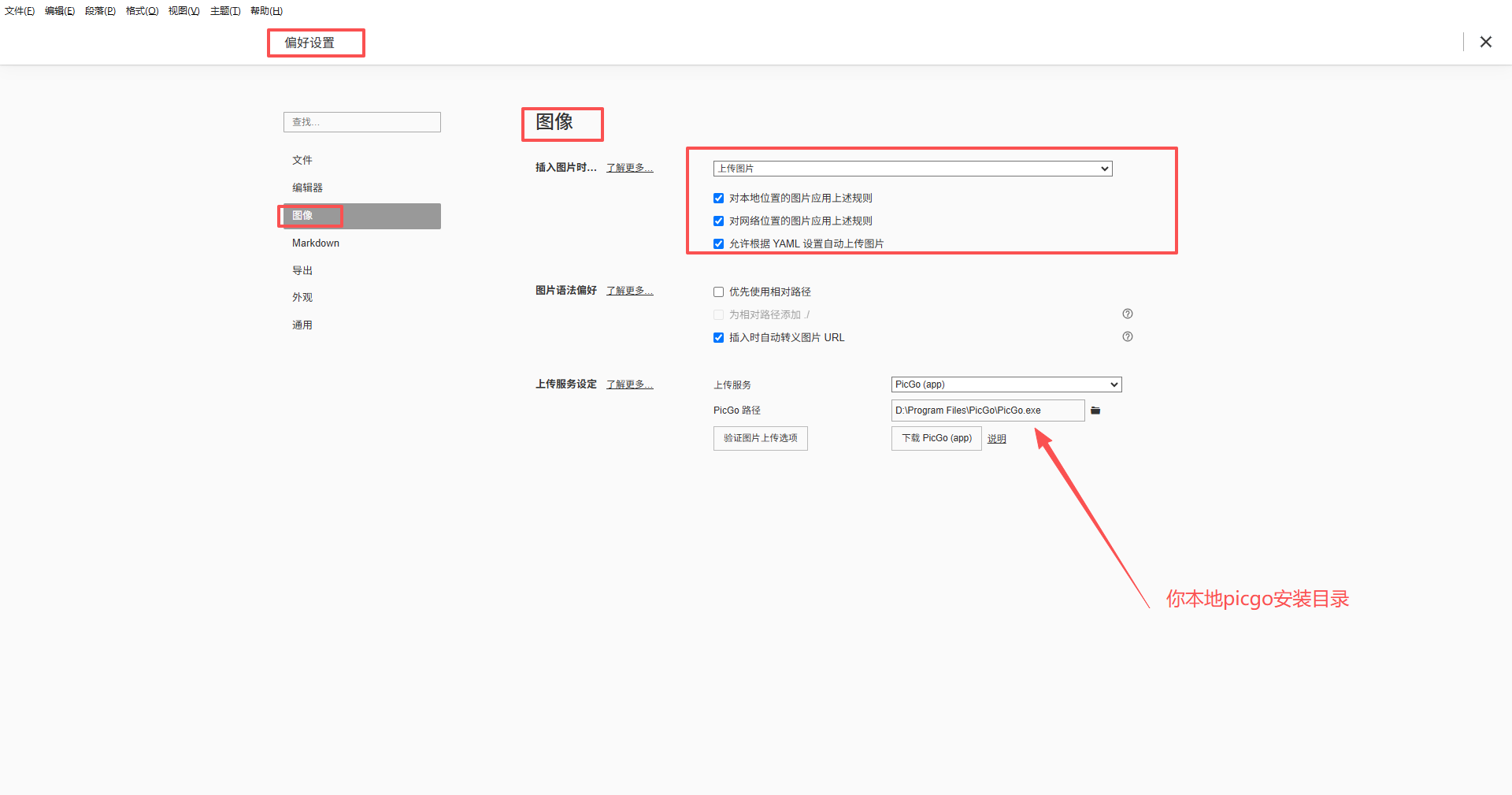
After this, pasting images in Typora will auto-upload.
5. How it works
Design overview
┌─────────┐     ┌─────────┐     ┌──────────┐     ┌─────────┐
│ Local   │ ──> │  PicGo  │ ──> │  GitHub  │ ──> │ jsDelivr│
└─────────┘     └─────────┘     └──────────┘     └─────────┘
                                    │               │
                                    v               v
                                  Versioning      CDN
                                  Free storage    Global PoPs
- GitHub: free repo storage (1GB per repo, 100MB per file)
- PicGo: simplified uploads, batch/drag-and-drop
- jsDelivr: free CDN with China nodes
CDN speed comparison
- Raw GitHub:
https://raw.githubusercontent.com/user/repo/branch/path - CDN:
https://cdn.jsdelivr.net/gh/user/repo@branch/path
Access speed in mainland China improves significantly.
6. FAQ
Q: Token leaked?
A: Revoke it in GitHub Developer settings and create a new one.
Q: Can the repo be private?
A: Yes, but jsDelivr only supports public repos. Private repos must use raw GitHub URLs and will be slower.
Q: Image size limits?
A: GitHub limits files to 100MB and repos to 1GB (warnings when exceeded but still usable).
Q: Custom domain support?
A: jsDelivr does not support custom domains. Use Cloudflare Workers if needed.
Summary
Core value of this solution:
| Feature | Explanation |
|---|---|
| Cost | free |
| Stability | GitHub-backed, 99.9% uptime |
| Speed | jsDelivr CDN |
| Ease | PicGo one-click upload |
| Versioning | Git records all changes |
Best for bloggers, tech writers, and Markdown users.
欢迎关注公众号FishTech Notes,一块交流使用心得