The Hottest Frontend Tool of 2026: Let AI Design Pro-Level UI
1/16/2026
Pain points
Have you run into these issues?
- You write code well, but your UI looks like “engineer aesthetics”?
- You do not know which colors or fonts to use, and styling takes forever?
- You ask AI to generate UI, but it always looks generic?
- Other sites look great, and you do not know where to start?
If any of these sound familiar, this tool will change your workflow.
🎯 What is UI UX Pro Max?
UI UX Pro Max is a design intelligence tool for AI coding assistants. Think of it as a professional UI/UX designer brain for your AI.
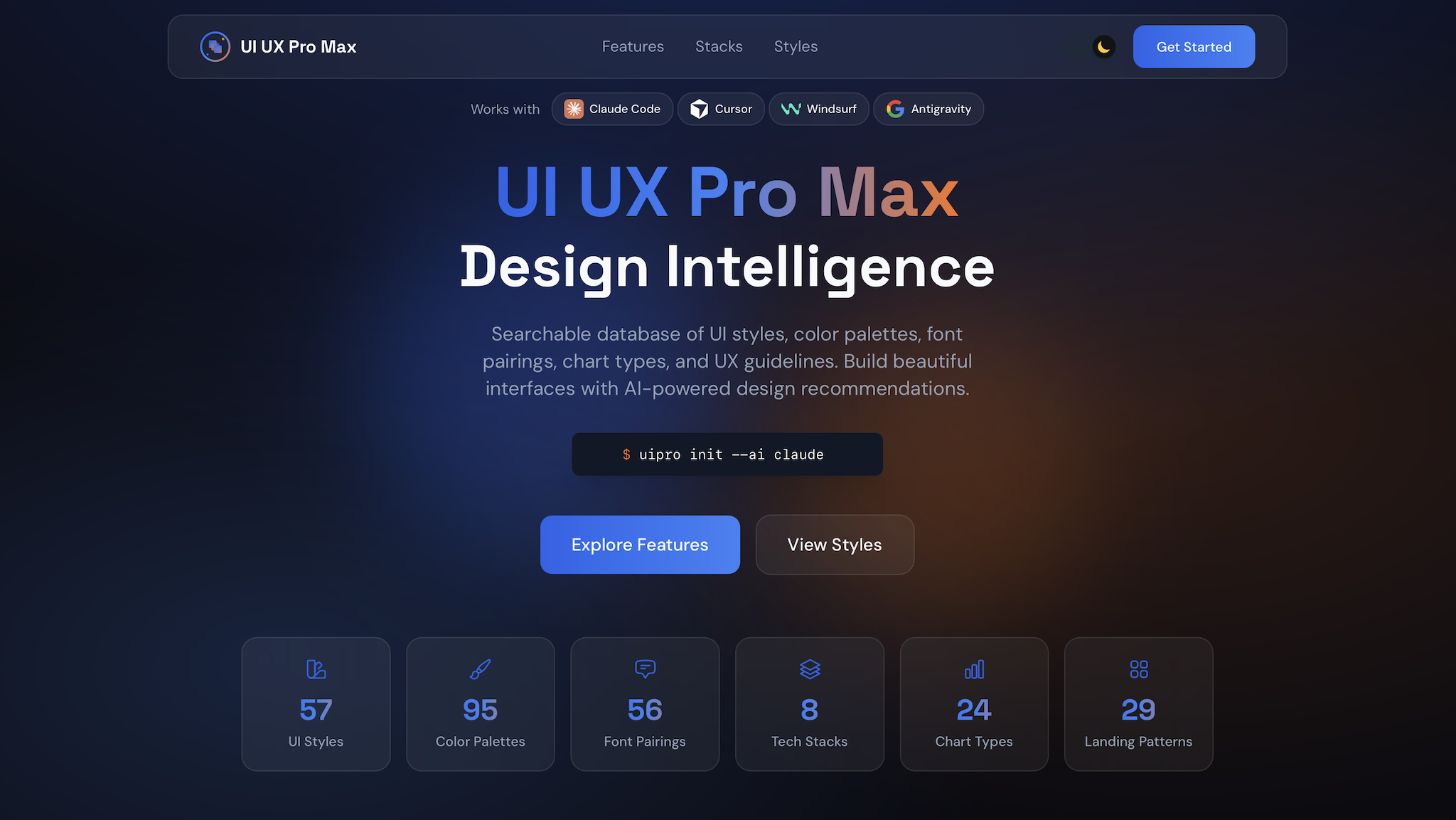
In short: it makes AI not only write code, but design.
Core stats
- ✅ 57 UI styles: glassmorphism, neomorphism, minimalism, brutalism, Bento Grid, dark mode, etc.
- ✅ 95 industry palettes: SaaS, e-commerce, healthcare, finance, beauty
- ✅ 56 font pairings: curated Google Fonts combos
- ✅ 24 chart types: for dashboards and data viz
- ✅ 10 tech stacks: React, Next.js, Vue, Svelte, SwiftUI, Flutter, etc.
- ✅ 98 UX guidelines: best practices, anti-patterns, accessibility
Supported AI assistants
- 🤖 Claude Code
- 🤖 Cursor
- 🤖 Windsurf
- 🤖 Antigravity
- 🤖 GitHub Copilot
- 🤖 Kiro
- 🤖 Codex
- 🤖 Gemini CLI
🚀 How to use
Option 1: CLI install (recommended)
npm install -g uipro-cli
cd /path/to/your/project
uipro init --ai claude      # Claude Code
uipro init --ai cursor      # Cursor
uipro init --ai windsurf    # Windsurf
uipro init --ai all         # all assistants
Option 2: manual install
Copy the folder based on your assistant:
| AI assistant | Folder path |
|---|---|
| Claude Code | .claude/skills/ui-ux-pro-max/ |
| Cursor | .cursor/commands/ + .shared/ |
| Windsurf | .windsurf/workflows/ + .shared/ |
Usage example
After install, just chat as usual:
// Claude Code - auto activate
"Design a SaaS landing page for an AI tool"

// Cursor / Windsurf - use slash command
/ui-ux-pro-max Design a SaaS landing page for an AI tool
AI will:
- Search the design database for best styles/colors/fonts
- Recommend the right design system for your product
- Generate production-grade UI code
💡 Real examples
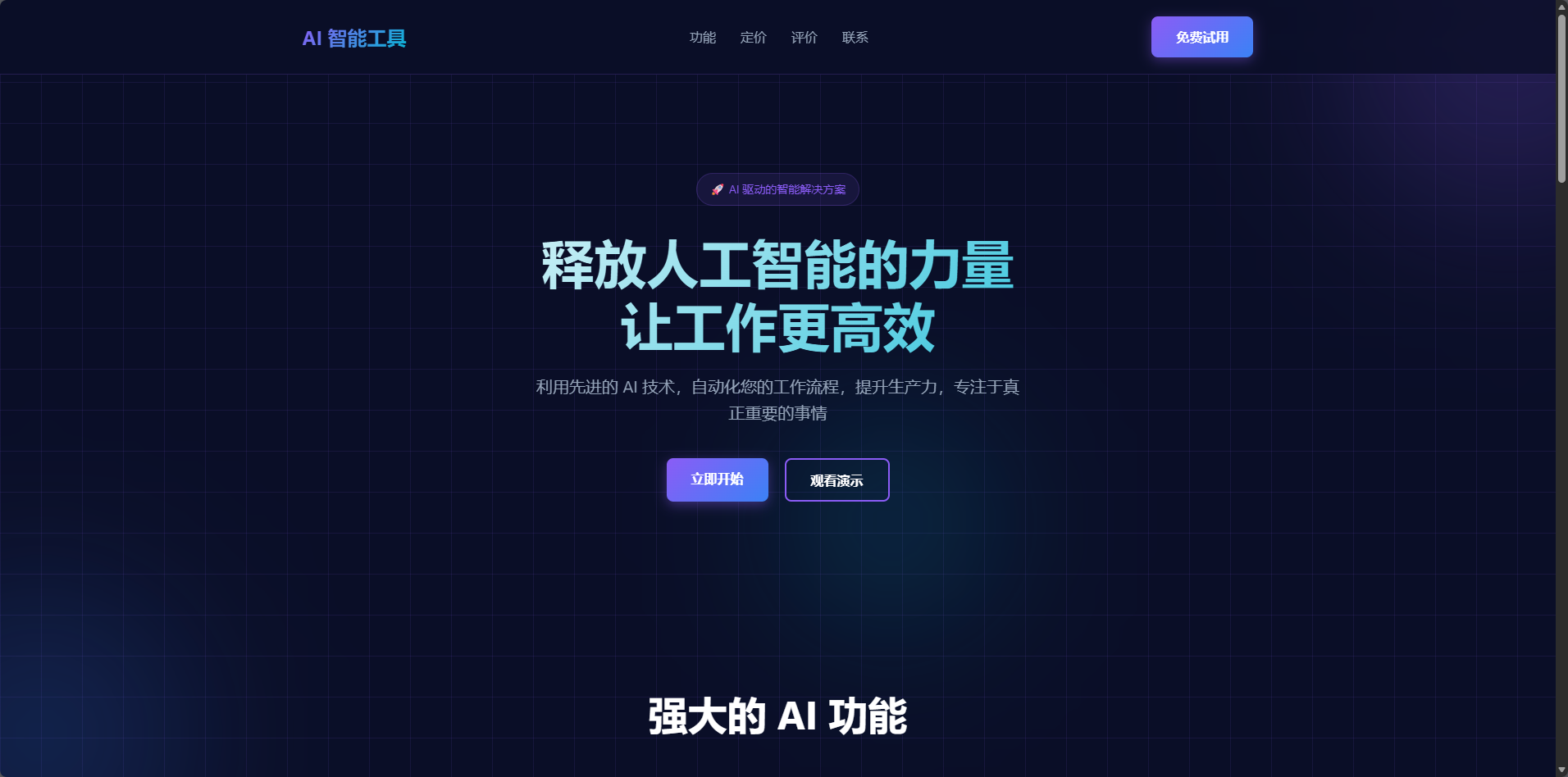
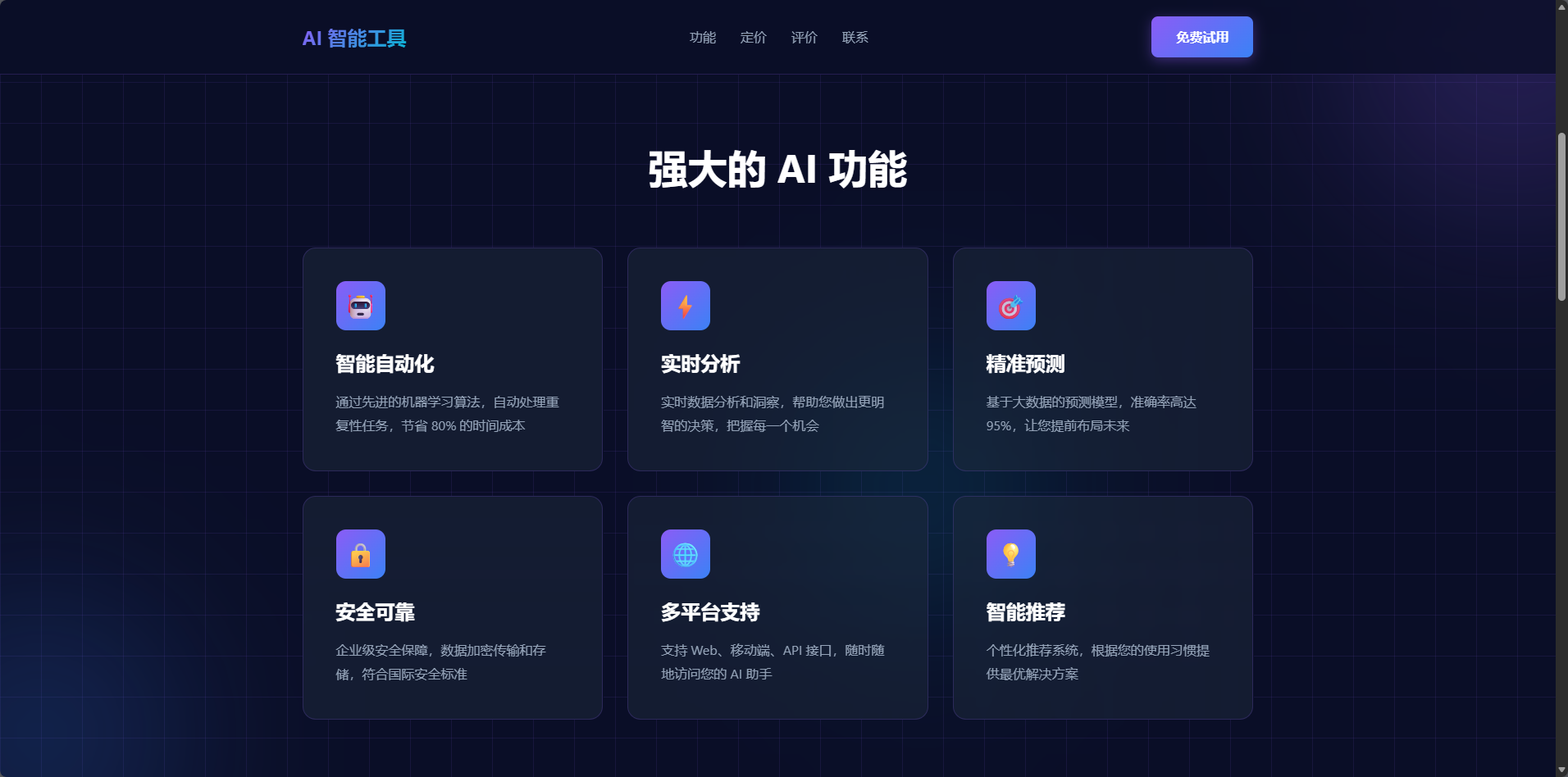
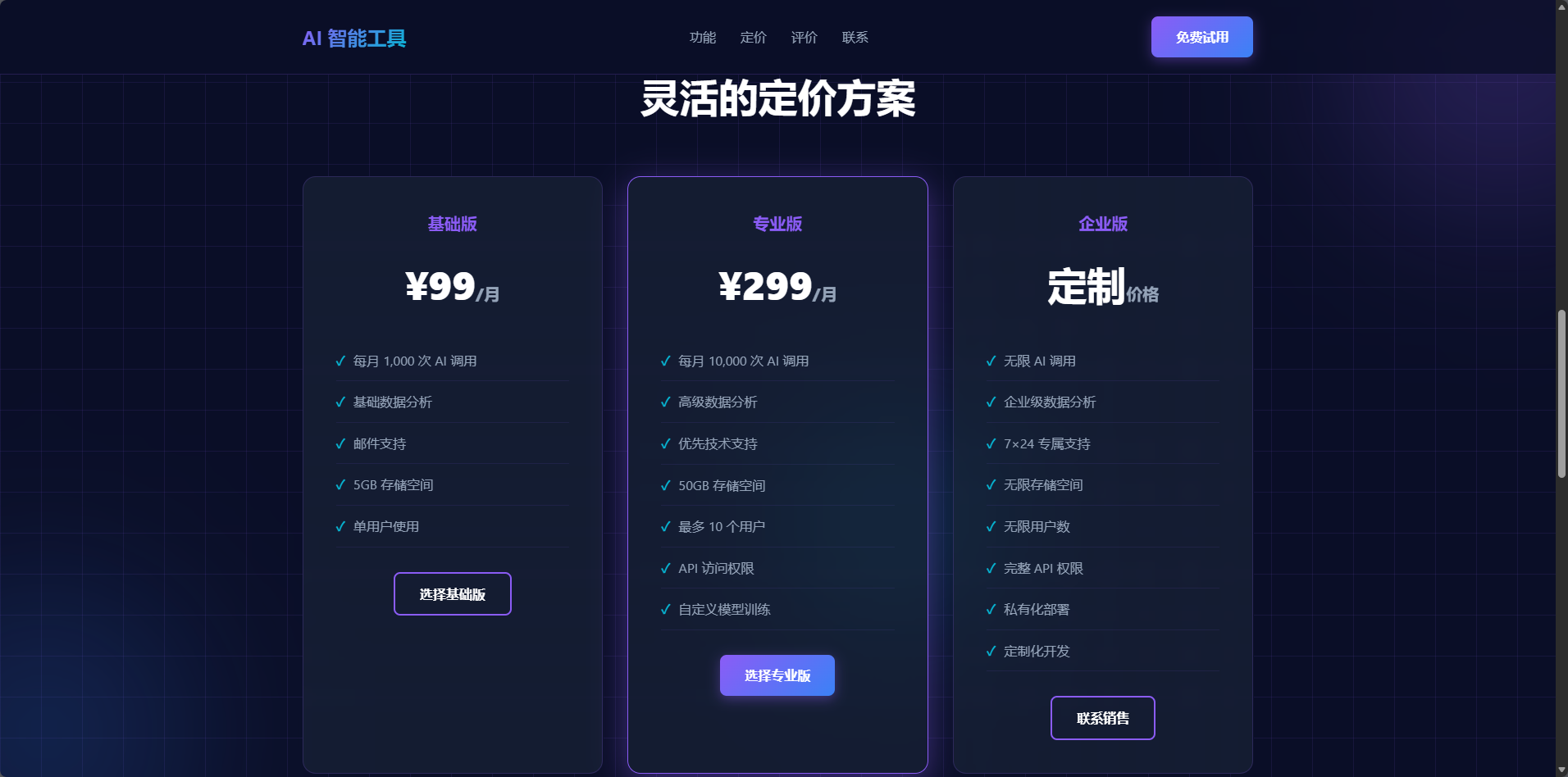
Case 1: SaaS landing page
Your request:
Design a modern, techy SaaS landing page for an AI tool
AI will:
- Choose Glassmorphism or Minimalism
- Use a SaaS palette (blue + gradients)
- Recommend Inter + Poppins
- Apply responsive layout and accessibility best practices
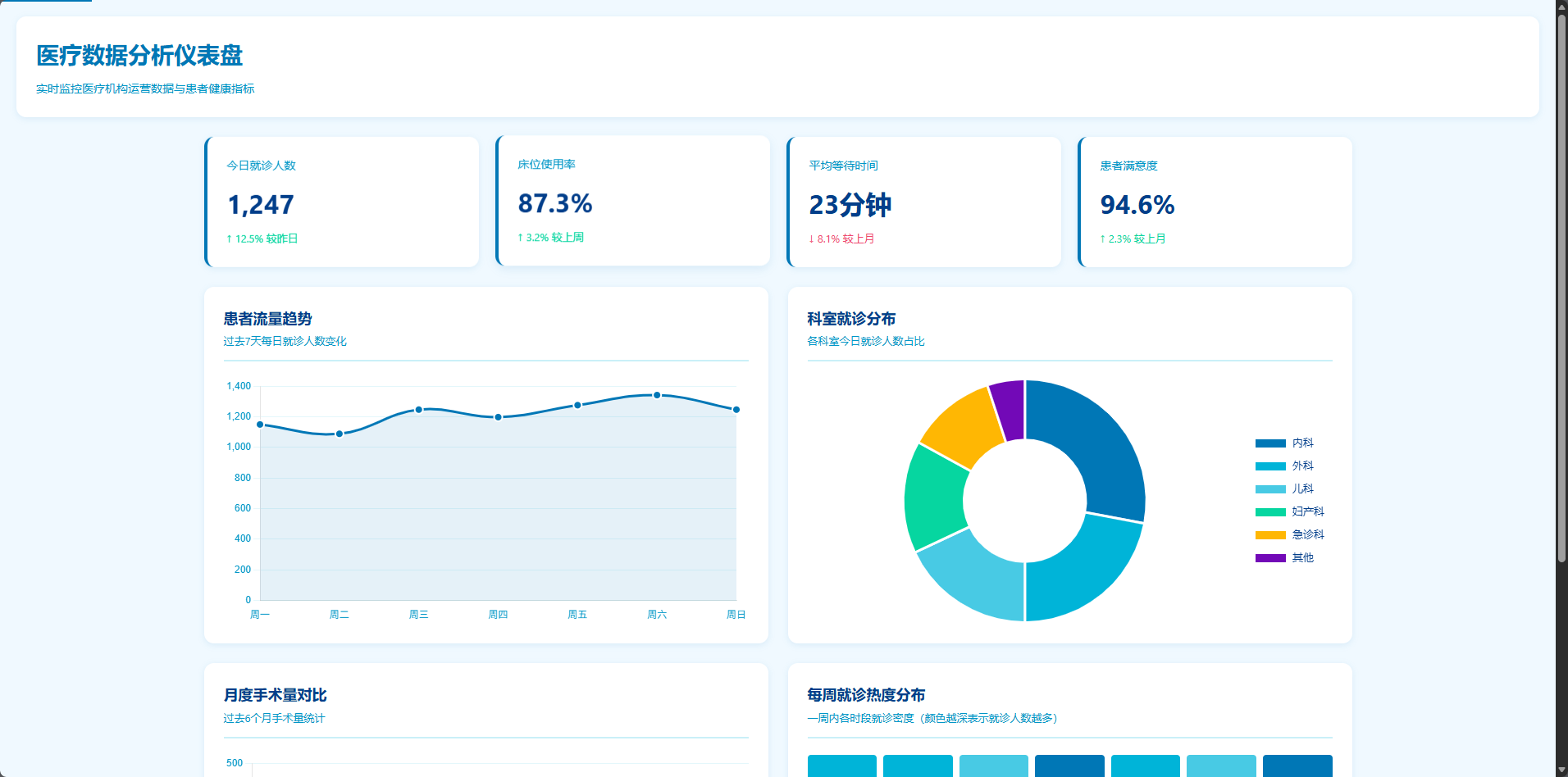
Case 2: healthcare dashboard
Your request:
Create a healthcare analytics dashboard
AI will:
- Choose healthcare palettes (blue-green, trust-focused)
- Recommend chart types (line, pie, heatmap)
- Apply data viz best practices
- Ensure WCAG accessibility
🎨 Why it is powerful
1) Industry-grade design database
Not just templates. It is a searchable design system:
- professional palettes by industry
- proven font pairings
- UX-aligned layout rules
2) Smart recommendation engine
AI matches design choices based on:
- product type (SaaS, ecommerce, healthcare, etc.)
- tech stack (React, Vue, Flutter, etc.)
- design goals (modern, minimal, techy, etc.)
3) Multi-stack support
It generates code for your stack:
- Web: HTML + Tailwind, React, Vue, Svelte
- Mobile: React Native, Flutter, SwiftUI
4) Best practices built in
With 98 UX guidelines, the UI is:
- responsive
- accessible (WCAG)
- performance-conscious
- avoids common anti-patterns
📊 Before vs after
| Dimension | Before | After |
|---|---|---|
| Design time | hours of tweaking | minutes to pro UI |
| Quality | engineer aesthetics | designer-level |
| Color choice | guesswork | industry palette |
| Typography | default fonts | pro pairings |
| Responsive | manual | auto |
| Accessibility | often ignored | built in |
🔥 Why you should use it now
1) 10x faster dev
No more:
- Dribbble inspiration hunting
- Coolors palette fiddling
- Google Fonts browsing
- endless CSS tweaks
One prompt, AI handles the rest.
2) More professional products
Even if you are not a designer, you can ship:
- industry-standard palettes
- professional layouts
- strong UX
3) Free and open source
- GitHub open source
- MIT license
- actively maintained
📦 Get started
Step 1: install
npm install -g uipro-cli
cd your-project
uipro init --ai claude
Step 2: use
Design a UI for my product
Step 3: enjoy pro UI
AI generates production-ready UI code.
🌟 GitHub
👉 https://github.com/nextlevelbuilder/ui-ux-pro-max-skill
If it helps, give it a star.
💬 Summary
UI UX Pro Max is not just a template library. It is a design intelligence system that gives AI assistants a professional designer’s brain.
For frontend developers, that means:
- ✅ no more design anxiety
- ✅ much faster development
- ✅ more professional products
In 2026, AI-assisted development is entering the era of design intelligence.
Still tweaking CSS by hand? Try UI UX Pro Max and let AI design for you.
📢 Interaction
If this helped, please:
- 👍 Like and save
- 💬 Share your experience
- 🔗 Send to friends who need it
欢迎关注公众号FishTech Notes,一块交流使用心得