Claude Code Strikes Again: One-Click Cleanup of AI-Generated Spaghetti Code
3/4/2026
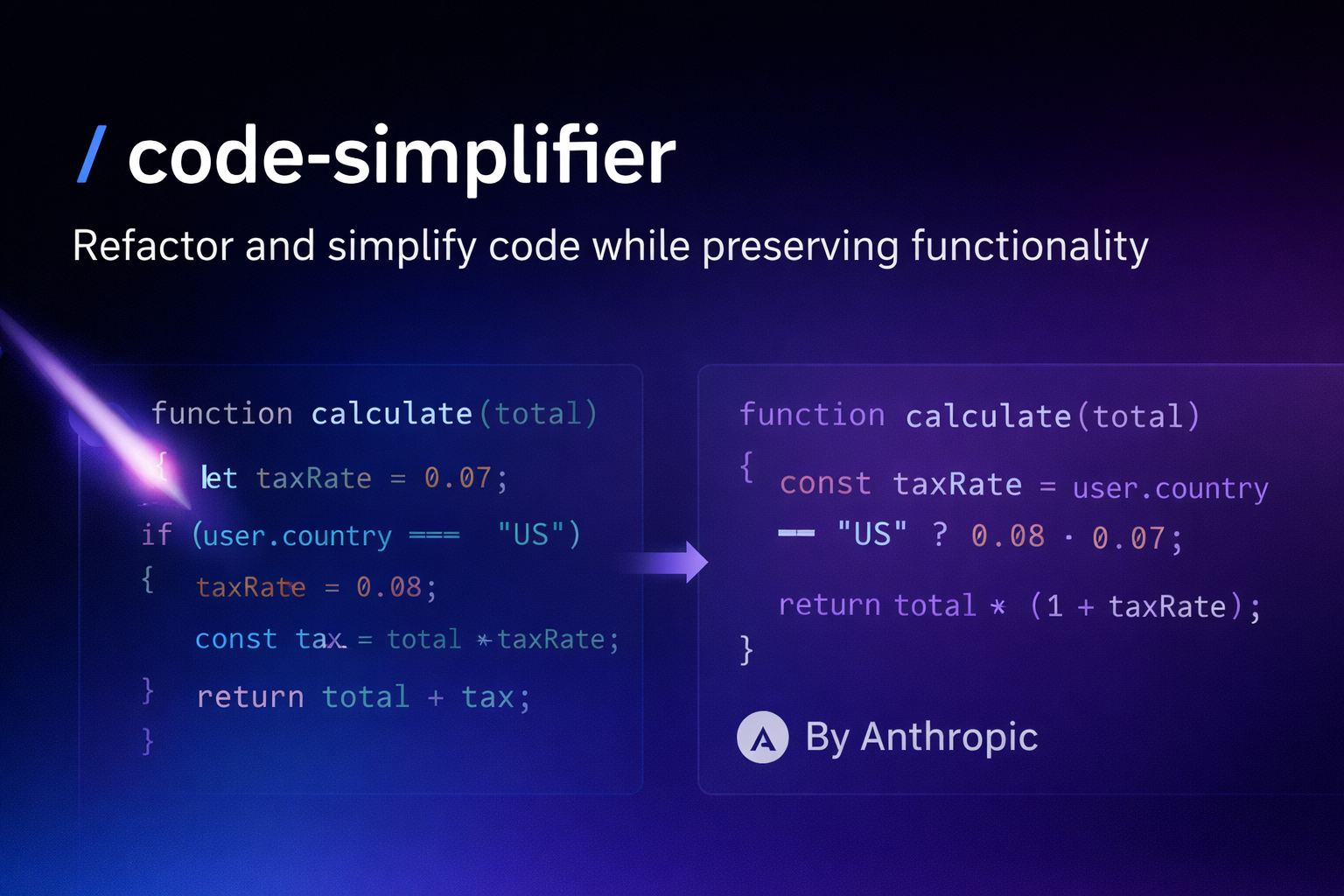
Let AI Clean Up Its Own Mess
Have you ever had this experience?
Using Claude Code to write code is incredibly fast, but when you look back—
Wow, what is this thing?
Three-hundred-line functions, eight layers of nested if-else statements, variables named temp1 temp2 temp3…
It’s all spaghetti code.
Here’s the question: Who’s going to fill the holes AI dug?
The answer: Let AI fill them itself.
In January 2025, Anthropic officially released the code-simplifier plugin—
Specifically designed to clean up AI-generated messy code and turn spaghetti into something humans can read.
Claude Code founder Boris Cherny said on Twitter:
“We just open-sourced the code-simplifier agent that the Claude Code team uses internally. Try it: claude plugin install code-simplifier. After long coding sessions, or when cleaning up complex PRs, let Claude use the code simplification agent.”
What is code-simplifier?
In one sentence: An official Claude Code code simplification Agent.
Its core capabilities:
- 🔍 Scan redundant code - Identify duplicate logic, over-abstraction, unnecessary complexity
- ✂️ Automatic refactoring optimization - Split large functions, optimize naming, unify code style
- 📝 Preserve functionality - Only optimize structure and readability, don’t change program behavior
- 📖 Follow your conventions - Read project
CLAUDE.md, apply team coding standards
In other words—
AI-generated messy code can now be cleaned up by Claude Code itself.
This is pretty awesome.
Four Core Principles
code-simplifier follows four core principles to ensure optimization quality:
1️⃣ Preserve Functionality
Never change code functionality - Only change the implementation.
- All original features remain unchanged
- Output and behavior are completely consistent
- All test cases must pass
2️⃣ Apply Project Standards
Automatically follows the coding conventions defined in the project’s CLAUDE.md:
- Use ES modules, correctly sort and extend imports
- Prefer
functionkeyword over arrow functions - Use explicit return type annotations for top-level functions
- Follow appropriate React component patterns and explicit Props types
- Use correct error handling patterns
- Maintain consistent naming conventions
3️⃣ Enhance Clarity
Simplify code structure by:
- Reducing unnecessary complexity and nesting
- Eliminating redundant code and abstractions
- Improving readability through clear variable and function names
- Merging related logic
- Deleting unnecessary comments that describe obvious code
- Important: Avoid nested ternary operators, use switch statements or if/else chains for multi-condition selection
- Choose clarity over brevity, explicit code is usually better than overly compact code
4️⃣ Maintain Balance
Avoid over-simplification that might:
- Reduce code clarity or maintainability
- Create overly clever solutions that are hard to understand
- Combine too many concerns into a single function or component
- Delete useful abstractions that improve code organization
- Prioritize “fewer lines” over readability (like nested ternary, dense one-liners)
- Make code harder to debug or extend
Three-Step Installation, Plug and Play
The installation process is ridiculously simple, just three commands:
Method 1: Install via Plugin Marketplace (Recommended)
1️⃣ Open Claude Code
Make sure you have the latest version of Claude Code installed.
2️⃣ Update Plugin Marketplace
Enter in Claude Code session:
/plugin marketplace update claude-plugins-official
This step syncs the official plugin repository to ensure you can see the latest plugins.
3️⃣ Install code-simplifier
Then enter:
/plugin install code-simplifier
Done.
Method 2: Direct Command Installation
claude plugin install code-simplifier
Wait for installation to complete, and you’ll have an AI assistant dedicated to cleaning up your code.
Verify successful installation:
/plugin list
If you see code-simplifier in the list, the installation was successful.
Five Usage Patterns
After installation, you can invoke it in the following ways:
1️⃣ Direct @mention
@code-simplifier help me optimize this code
2️⃣ Specify File Scope
@code-simplifier optimize the src/utils/helpers.ts file
3️⃣ Natural Language Instruction
Please use code-simplifier to help me clean up the code I just modified
4️⃣ Check Only Without Modifying
Please use code-simplifier to check dayu.ts, don't make any changes
5️⃣ Complete Instruction (Recommended)
@agent-code-simplifier:code-simplifier Please optimize and simplify the code without changing any functionality, making it clearer, more consistent, and more maintainable.
By default, it only optimizes recently modified code, avoiding accidental changes to other files.
Real Testing: Amazing Results
I tested it on a project previously generated with AI.
Before optimization:
- A 500+ line “God function”
- Variable naming all
dataresulttemp - Nesting levels so deep you can’t see the bottom
- Duplicate logic copied and pasted everywhere
After optimization:
- Split into 12 small single-responsibility functions
- Semantic variable names, clear at a glance
- Code reduced by 30%
- Unified code style, following team conventions
This is real code, what was that before? Gibberish?
Real Case: Nested Ternary Operator Optimization
Before optimization (nightmare):
const status = user.active ?
  user.verified ? 'active-verified' : 'active-unverified' :
  user.suspended ? 'suspended' : 'inactive';
This kind of nested ternary operator makes you want to throw up when reading it.
After optimization (clear):
function getUserStatus(user) {
  if (user.suspended) return 'suspended';
  if (!user.active) return 'inactive';
  return user.verified ? 'active-verified' : 'active-unverified';
}

const status = getUserStatus(user);
Crystal clear, this is human-written code!
code-simplifier automatically identifies nested ternary operators and refactors them into clear functions, following the “choose clarity over brevity” principle.
Configure Custom Rules: Make the Plugin Listen to You
The strongest feature of code-simplifier is—
It reads the CLAUDE.md file in your project root and follows your team’s coding conventions.
Create Custom Rules
Create or edit CLAUDE.md in your project root:
# Coding Standards

## Import Convention
- Use ES modules with explicit extensions (.js, .ts)
- Sort imports: external packages first, then local modules

## Function Patterns
- Prefer `function` keyword for top-level functions
- Use arrow functions for callbacks and inline functions

## Type Annotations
- All exported functions must have return type annotations
- Prefer explicit types over `any`

## Naming Conventions
- Use camelCase for function names
- Component Props must have explicit type declarations
- Use UPPER_SNAKE_CASE for constants

## Code Style
- Prefer function keyword over arrow functions
- Import statements must include file extensions
- Error handling unified using try-catch

## Comment Conventions
- Delete all comments, code should be self-explanatory
- Exception: Keep comments for complex algorithm logic

## Other
- Prohibit using var to declare variables
- Prefer const, then let
Example: Enforce Arrow Functions
If your team prefers arrow functions:
## Function Declaration
- Prefer arrow functions: const foo = () => {}
- Avoid using function keyword
code-simplifier will automatically change all function foo() {} to const foo = () => {}.
It’s like giving the plugin “team DNA”, the optimized code completely matches your style.
Typical Use Cases
Case 1: Clean Up AI-Generated Prototype Code
Problem:
Using Claude Code to quickly build MVPs, code works but is hard to maintain.
Solution:
@code-simplifier help me refactor all code under src/ directory
Case 2: Unify Team Code Style
Problem:
Multi-person collaborative projects with varied code styles, painful code reviews.
Solution:
Define team conventions in CLAUDE.md, then:
@code-simplifier unify the entire project's code style
Case 3: Optimize Legacy Code
Problem:
Inheriting someone else’s old project, code so complex you’re afraid to touch it.
Solution:
@code-simplifier first check the legacy/ directory, list optimization opportunities, don't modify
Case 4: Pre-Code Review Cleanup
Problem:
Before submitting PR, want to make your code more professional.
Solution:
@code-simplifier optimize the files I recently modified
⚠️ Important Reminder: Backup! Backup! Backup!
Listen up everyone!
Before using code-simplifier, make sure to backup your code first!
Although this plugin is very smart, it’s still automatic refactoring—
If something goes wrong and you don’t have a backup, you might cry in the bathroom.
Recommended Approaches:
Method 1: Git Commit
git add .
git commit -m "backup before simplify"
Method 2: Create Branch
git checkout -b backup-branch
Method 3: Direct Folder Copy
Simple and crude, but effective.
Remember: Better to backup once too many than to cry later.
Advanced Tips: Integrate with Workflow
Best Practice Workflow
1️⃣ Plan Phase: Normal Development
@frontend-engineer implement user login functionality
2️⃣ Build Phase: After functionality is complete, clean up code
@code-simplifier optimize the code I just wrote
3️⃣ Manual Review: Check optimization results
git diff
4️⃣ Commit Code: After confirming no issues, commit
git add .
git commit -m "feat: implement user login functionality"
Workflow Integration
You can integrate code-simplifier into your CI/CD pipeline:
# .github/workflows/code-quality.yml
- name: Code Simplification Check
  run: |
    claude plugin run code-simplifier --check-only
Plugin Principles Revealed
code-simplifier uses the Claude Opus model, specially trained for code optimization.
Complete Workflow (6 Steps)
1️⃣ Identify Recently Modified Code Segments
- Analyze git diff
- Find recently modified or touched code
- By default only processes recently modified parts
2️⃣ Read Project Context
- Scan project structure
- Read
CLAUDE.mdconventions - Analyze code dependencies
3️⃣ Analyze Improvement Opportunities
- Use Opus model for analysis
- Identify code complexity issues
- Discover duplicate logic
- Detect naming issues
4️⃣ Apply Project Best Practices
- Apply project-specific best practices and coding standards
- Generate optimization plan
- Split large functions
- Optimize variable naming
- Delete redundant code
5️⃣ Ensure Functionality Unchanged
- Maintain all original features, output, and behavior
- Ensure tests pass
- Verify refined code is simpler and more maintainable
6️⃣ Apply Changes and Log
- Apply changes to code files
- Only log important changes that affect understanding
- Generate change report
Agent Definition
name: code-simplifier
description: Simplifies and refines code for clarity, consistency, and maintainability while preserving all functionality. Focuses on recently modified code unless instructed otherwise.
model: opus
tools: Read, Edit, Glob, Grep
Agent Prompt Core Logic
You are an expert code simplification specialist focused on enhancing
code clarity, consistency, and maintainability while preserving exact
functionality.

Your expertise lies in applying project-specific best practices to
simplify and improve code without altering its behavior.

You prioritize readable, explicit code over overly compact solutions.
It uses the Opus model to ensure optimization quality.
Difference from ESLint/Prettier
Many people ask: I have ESLint and Prettier, do I still need code-simplifier?
The answer: Yes! They are complementary.
| Comparison Dimension | code-simplifier | ESLint/Prettier |
|---|---|---|
| Code Formatting | ❌ | ✅ |
| Syntax Checking | ❌ | ✅ |
| Logic Refactoring | ✅ | ❌ |
| Context Understanding | ✅ | ❌ |
| Preserve Functionality | ✅ | N/A |
| Automation Level | High | Medium |
| AI Capability | ✅ | ❌ |
Key Differences
ESLint/Prettier:
- Only do syntax checking and formatting
- Don’t understand code logic
- Can’t refactor complex logic
code-simplifier:
- Understands code semantics and context
- Can refactor nested ternary operators
- Can split large functions
- Can optimize code structure
Best Practice: Use All Three Together
# 1. First use code-simplifier to refactor logic
@code-simplifier optimize this code

# 2. Then use ESLint to check syntax
npm run lint

# 3. Finally use Prettier to format
npm run format
Comparison with Manual Refactoring
| Comparison Dimension | code-simplifier | Manual Refactoring |
|---|---|---|
| Speed | Fast | Slow |
| Consistency | High | Depends on developer |
| Learning Cost | Low | High |
| Understanding Depth | AI-assisted | Human judgment |
| Complex Decisions | Needs guidance | Full control |
code-simplifier doesn’t replace manual refactoring, it accelerates the refactoring process.
Plugin vs MCP Server: Don’t Get Confused
Many people confuse Claude Code Plugin with MCP Server:
| Comparison Dimension | Claude Code Plugin | MCP Server |
|---|---|---|
| Runtime Environment | Inside Claude Code | Independent process |
| Invocation Method | @mention or natural language | Need to configure MCP connection |
| Permission Scope | Can only access current project | Can access system resources |
| Typical Use Cases | Code optimization, refactoring | Database connection, API calls |
| Development Difficulty | Simple (Markdown config) | Medium (need to write code) |
code-simplifier is a Plugin, not an MCP Server.
It runs within Claude Code’s Agent system and can only access the current project’s code.
Open Source Repository
code-simplifier is an open source project, you can view the source code on GitHub:
https://github.com/anthropics/claude-plugins-official/tree/main/plugins/code-simplifier
The official repository is maintained by Boris Cherny (Claude Code founder).
Supported Programming Languages
code-simplifier supports all mainstream programming languages, with particular strength in:
- TypeScript/JavaScript - Strongest support
- Python - Excellent refactoring capabilities
- Go - Understands Go-specific patterns
- Rust - Supports ownership and lifetime optimization
- Java - Understands object-oriented patterns
- C/C++ - Supports memory management optimization
- Ruby - Understands Ruby idioms
- PHP - Supports modern PHP patterns
No matter which language you use, code-simplifier can help you!
Why Is This Plugin Important?
In 2025, Vibe Coding went viral worldwide.
More and more people are starting to use AI to write code—
- Product managers who can’t code are using Cursor to build MVPs
- Designers are using Claude Code to implement their ideas
- Students are completing graduation projects with AI
But the problem also arises:
AI-generated code is often “works but hard to maintain.”
For toys it’s fine, but if you want long-term iteration—
Spaghetti code will eventually come back to bite you.
Now with code-simplifier, it’s like adding a quality insurance to AI development.
AI generates ➜ AI simplifies ➜ Human fine-tunes ➜ Perfect delivery
This is the complete AI-assisted development loop.
Frequently Asked Questions (FAQ)
Q1: Will code-simplifier change code functionality?
A: No. This is the core principle of code-simplifier - only change implementation, not functionality. All original features, output, and behavior remain unchanged.
Q2: Which programming languages does it support?
A: code-simplifier supports all mainstream languages, with particular strength in TypeScript/JavaScript, Python, Go, Rust, Java.
Q3: Can I customize optimization rules?
A: Yes, define your team’s coding standards through the CLAUDE.md file in the project root, and code-simplifier will automatically follow them.
Q4: Will it delete comments?
A: Only redundant comments that describe obvious code. Valuable documentation comments and complex logic explanations will be preserved.
Q5: How to undo code-simplifier changes?
A: Use git to rollback:
git checkout -- <file>
It’s recommended to commit code before running for easy comparison and rollback.
Q6: Can it handle large projects?
A: Yes. code-simplifier by default only processes recently modified code, avoiding full project scans. You can also specify specific files or directories.
Q7: Does it need internet access?
A: No. code-simplifier runs locally and doesn’t need internet access. It uses the locally deployed Opus model.
Q8: Will it leak my code?
A: No. All code processing is done locally and won’t be uploaded to any server.
Summary
AI-written spaghetti code, after all, was handed back to Claude Code.
This isn’t a face-slap, this is evolution.
From “as long as it works” to “works elegantly”—
AI-assisted programming is maturing.
Core value of code-simplifier:
🎯 For Individual Developers
- Improve code quality - Automatically clean up redundancy, optimize structure
- Learn best practices - Observe how AI refactors code
- Save refactoring time - Quickly clean up AI-generated prototype code
🏢 For Teams
- Unify code style - Follow CLAUDE.md conventions
- Reduce code review cost - Automatic optimization before submission
- Lower maintenance cost - Make code more readable and maintainable
🚀 For Projects
- Improve code maintainability - Reduce technical debt
- Accelerate development iteration - Quickly clean up legacy code
- Ensure code quality - Automate code optimization process
Installation takes only 3 steps, usage takes only 1 sentence.
Combine with ESLint + Prettier to create the perfect code quality toolchain.
What are you waiting for? Start using it now!
Welcome to follow the WeChat public account FishTech Notes to exchange usage experiences!